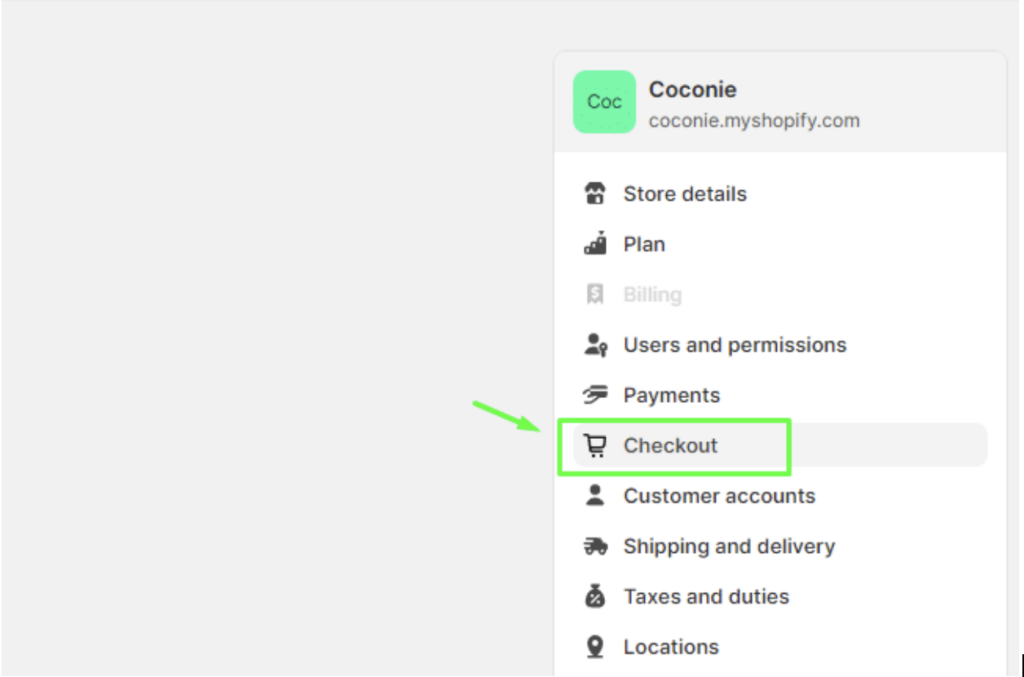
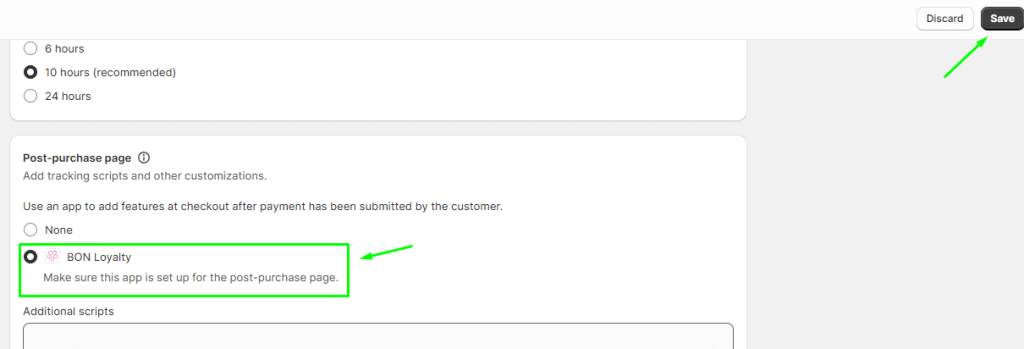
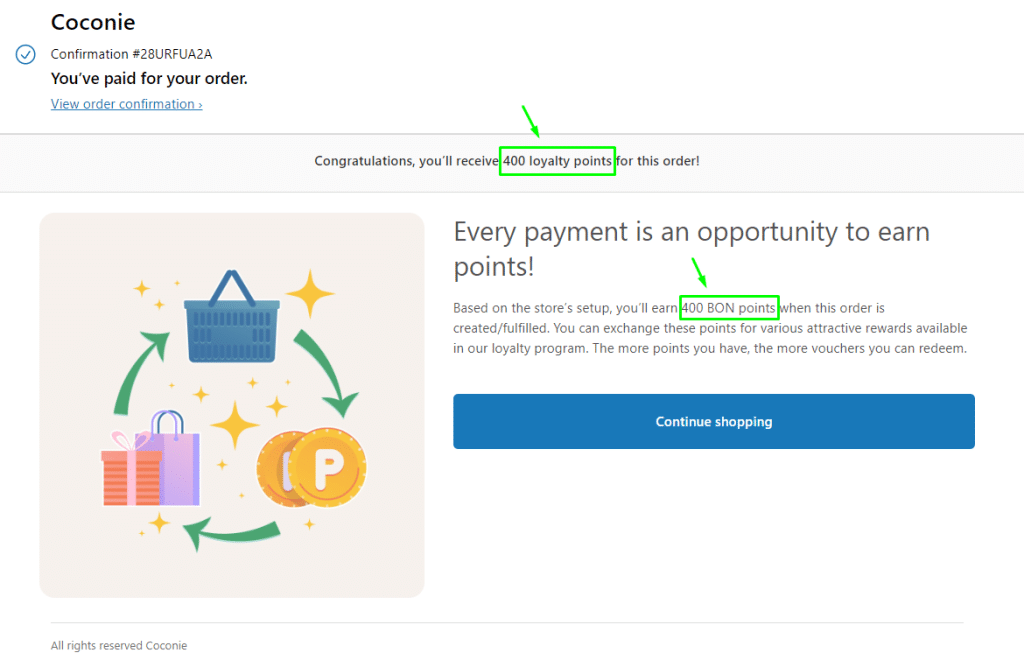
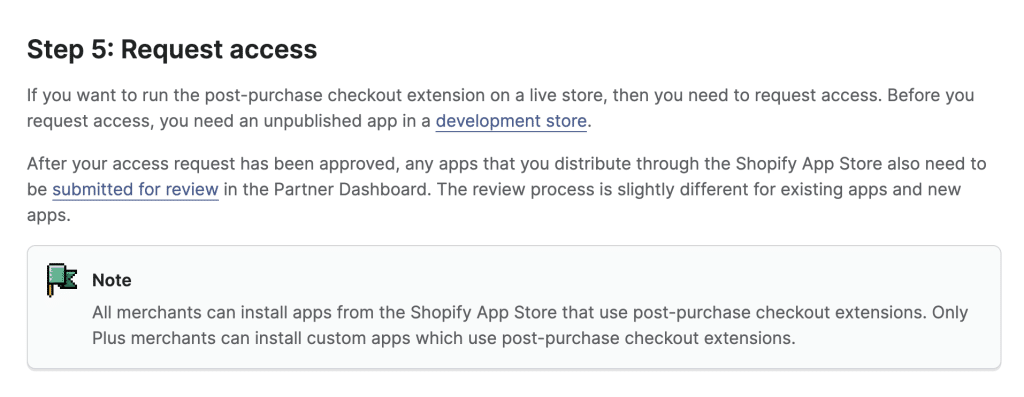
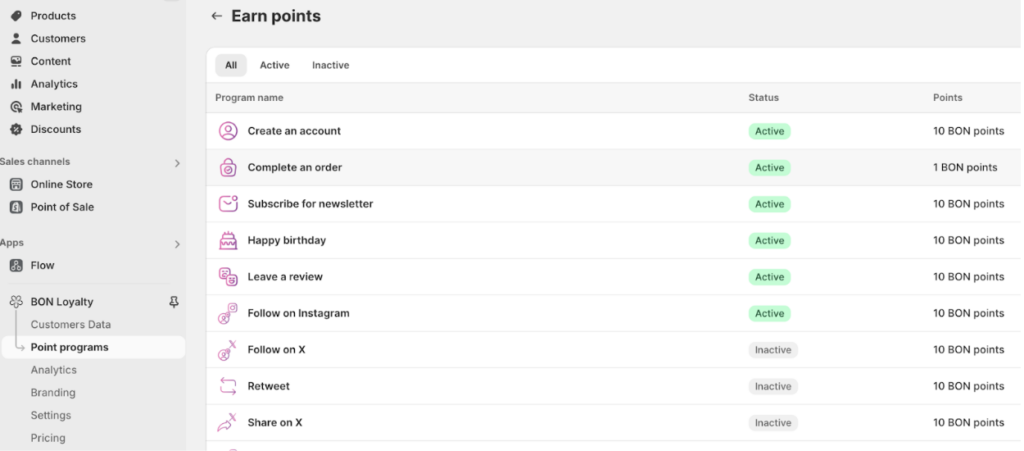
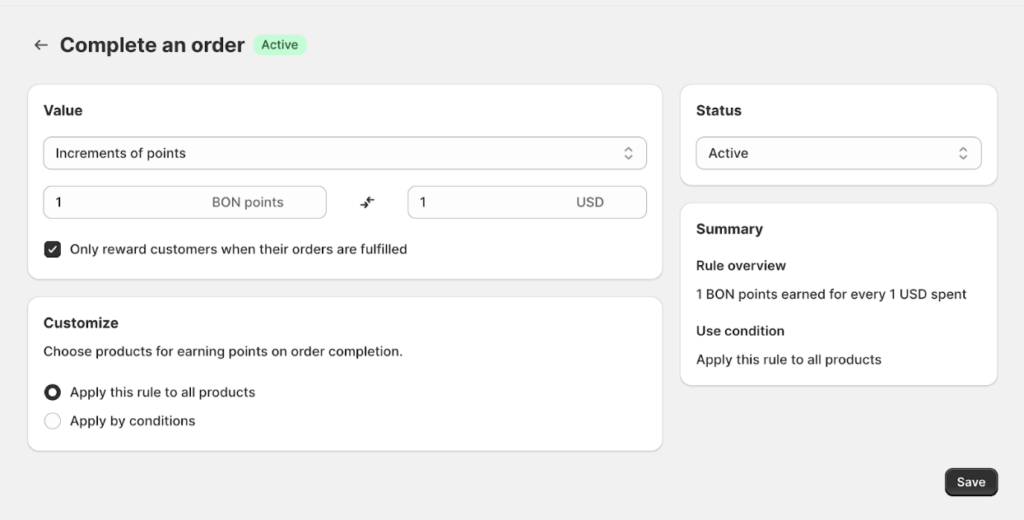
Esc 購入後ページのポイント 購入後ページにBONポイントを表示する方法重要:すべてのマーチャントが購入後ページを設定できますが、BON Loyaltyのようなカスタムアプリ拡張を利用するにはShopify Plusプランが必要です。 What is Points on Post-purchase page? BON Loyaltyの購入後ページ機能を使うと、Shopifyマーチャントは購入直後に顧客とつながることができます。このツールは、注文確認ページでパーソナライズされたメッセージ、リワード、インセンティブを提供し、取引をリピート購入やブランドロイヤルティ強化の機会へと変えます。 購入後ページでポイントを有効にする方法 ストアに購入後ページを設定するには、次の手順に従ってください。Go to Shopify Admin > その他の設定 > Checkout. Scroll down to find the Post-purchase page setting > Select the BON Loyalty option.Click Save to apply the settings. 顧客に表示される内容 デフォルトのShopify購入後ページでは、支払い手続き完了後に顧客は次の内容を目にします。Order confirmationOrder IDPayment notificationWhen the BON Loyalty extension is added to the post-purchase page, customers will also see a highlight of the benefits of BON, including:The number of reward points they can receive from the orderInformation on how these points can be used to redeem discount codes 本番ストアで購入後拡張機能を実行する方法 本番ストアで購入後拡張機能を実行するには、Shopifyドキュメントに記載された詳細手順をご参照ください。 ポイントの計算方法 顧客が受け取るポイント数は、BONの注文完了ポイント獲得ルールで設定した内容に基づいて計算されます。これを確認または編集するには:Go to Points program > ポイント獲得 > 注文完了. Click 注文完了 to adjust the point calculation settings > Click Save to apply the settings. Was this guide helpful? このフォームに入力するには、ブラウザーで JavaScript を有効にしてください。 Submit 前の« コード表示ロイヤルティページ次へチェックアウトページのポイント » On this page Toggle ${item.title}購入後ページのポイントWhat is Points on Post-purchase page?購入後ページでポイントを有効にする方法顧客に表示される内容本番ストアで購入後拡張機能を実行する方法ポイントの計算方法