定額割引
This guide will walk you through the steps to set up Amount Discounts effectively in BON.
はじめに
定額割引は、お客様がポイントを利用して固定金額(例:$100引き、$50引き)を割引として受けられるようにする、価値の高いリワード方法です。
定額割引の設定場所と設定方法
BON Loyaltyで定額割引を作成するには、以下の簡単な手順に従ってください。
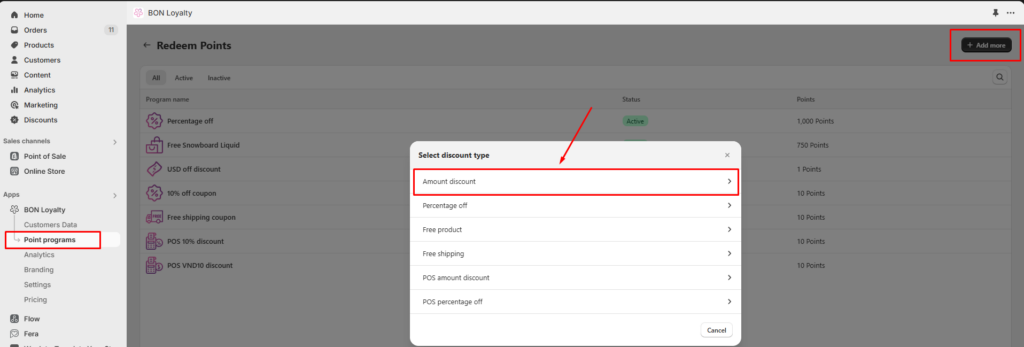
- BON > ポイントプログラム > ポイント交換 > 追加 > 定額割引 に移動します。
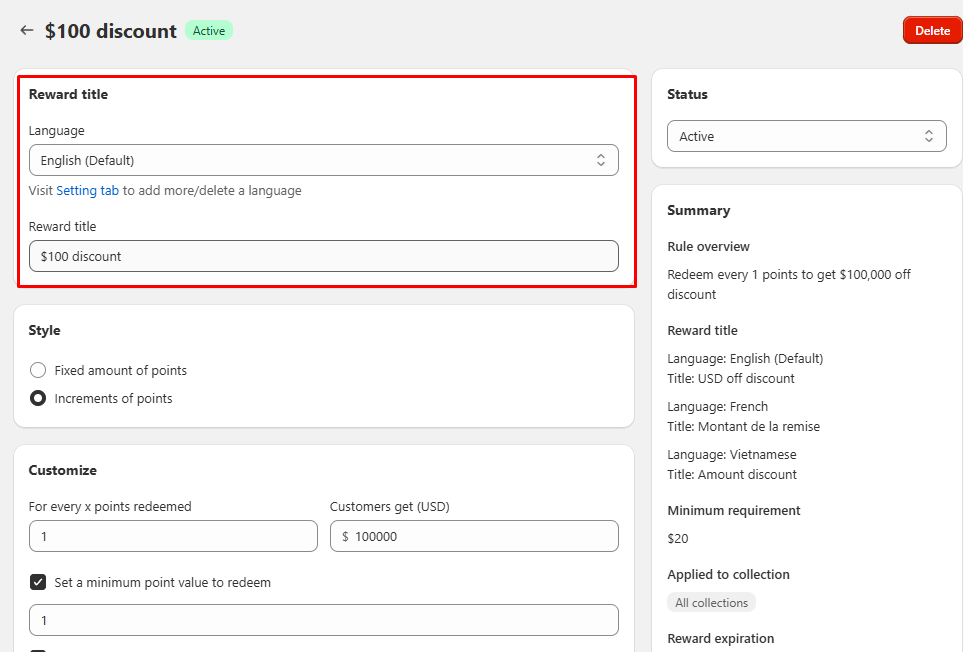
- リワードのタイトルを入力してください。このタイトルは顧客に表示されるため、わかりやすく魅力的な内容にしましょう。
BONプロ向けヒント: If your website supports multiple languages, ensure you update the title for each language. BON’s multi-language display feature is available on the Basic plan and higher.
定額割引の種類
顧客がポイントを交換する方法に応じて、2種類の「金額割引」から選択できます。
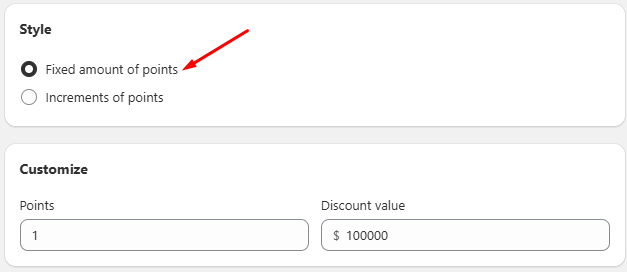
1. Fixed Amount Discount
このタイプでは、顧客が利用できる固定額の割引を設定します。
例: 100ポイントで$100の割引を受けられるように設定した場合、100ポイントを3回分持っている顧客は、それぞれ別の$100割引コードを3回受け取ることができます。
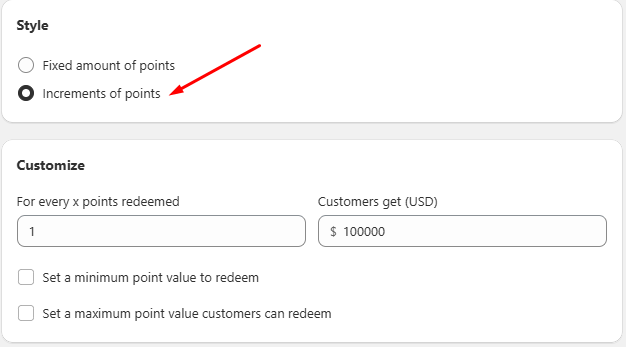
2. Increments of Points
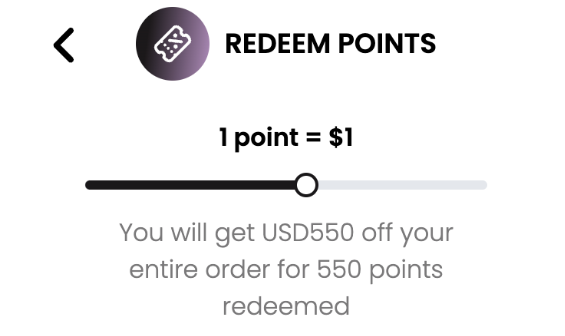
この柔軟な設定では、顧客はポイント数に応じてさまざまな割引額を受け取ることができます。
例: 300ポイントを持つ顧客の場合、以下の選択が可能です:
- 30ポイントを交換 → $3 の割引
- 90ポイントを交換 → $9 の割引
- 300ポイントすべてを交換 → $30 の割引
注意: Customers will see a slider allowing them to select the number of points they wish to redeem, offering greater flexibility.
ポイント単位交換の追加条件を設定(任意)
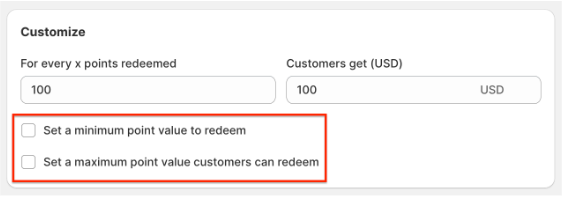
- 最低ポイント数: 交換に必要な最低ポイント数を指定します。
例: 顧客は最低でも30ポイントを交換する必要があります。
- 最大ポイント数: 交換可能なポイントの上限を設定します。
例: 顧客は最大で3000ポイントまで交換できます。
両方の金額割引タイプに追加条件を設定(任意)
金額割引をさらにカスタマイズするために、以下の条件を設定できます。
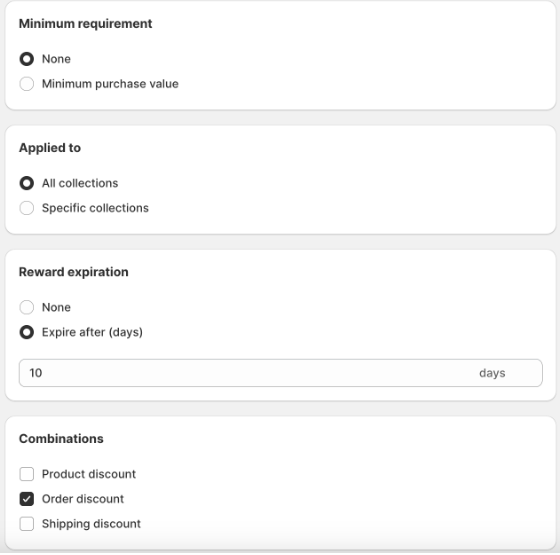
1. Minimum Purchase Requirement: Require customers to spend a minimum amount to apply the discount.
例: The discount can only be applied to purchases of $20 or more.
2. Product Restrictions: 割引を特定の商品コレクションに限定します。
例: 割引は特定のコレクション内の商品にのみ適用できます。
3. Reward Expiration: 割引コードの有効期限を設定します。有効期限は、交換後すぐにカウントが開始されます。
例: The code expires 10 days after redemption.
4. Combinations: Enable the discount to be combined with other types of discounts. Discounts in Shopify are categorized into classes, such as:
- 注文割引
- 商品割引
- 配送割引
どの割引クラスを併用できるかを確認し、適切に設定してください。
例: $100 の割引(注文割引)と無料商品割引を併用したい場合は、金額割引の設定で「商品割引」にチェックを入れてください。 その後、無料商品割引の設定で「注文割引」にチェックを入れます。 併用を有効にするには、両方の割引タイプで許可を設定する必要があります。これは、パートナーシップにおける相互同意のようなものです。
注意: BON triggers Shopify to create codes based on your in-app settings, so the discount combination logic is managed by Shopify. To learn more, you can visit the Shopify Discount Combinations documentation HERE.
Was this guide helpful?
On this page
Toggle