ウィジェットのテキストをカスタマイズ

ウィジェットテキスト機能を使ったウィジェットコンテンツのブランドカスタマイズ方法

はじめに

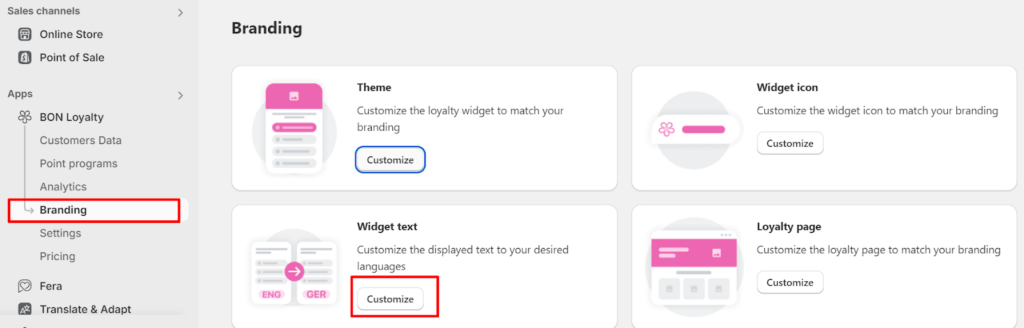
成功するロイヤルティプログラムには、ウィジェットの内容カスタマイズが欠かせません。 これにより、特定の顧客層を狙い、体験を最適化できます。 BONでは、ブランディング > カスタマイズ > ウィジェットテキストの順に進み、ウィジェットテキストのパーソナライズを開始しましょう。

Branding > Widget text

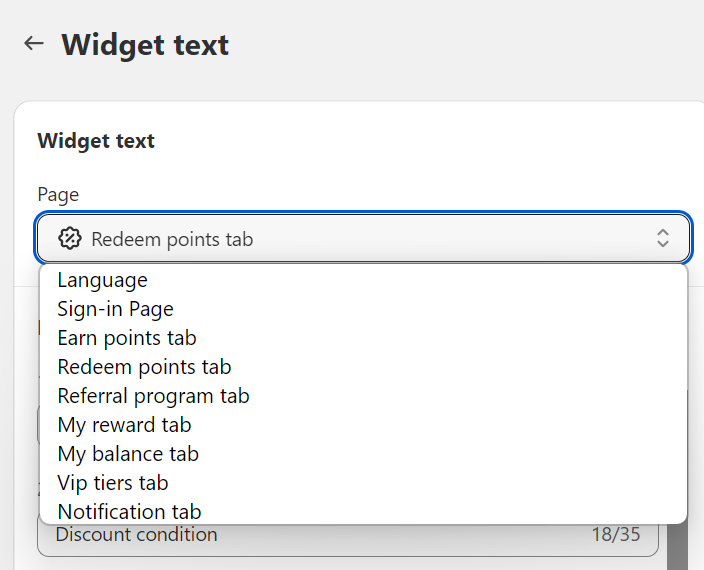
ウィジェットテキストセクション内のすべてのサブタブ

各サブタブには内容が含まれており、ウィジェットの9つのシナリオで特別に表示されます:

  1. サインインページ
  2. ポイント獲得タブ
  3. ポイント交換タブ
  4. 注文ブースタ―タブ(*)
  5. 紹介プログラムタブ
  6. マイリワードタブ
  7. マイバランスタブ
  8. VIPランクタブ(*)
  9. 通知タブ (ポップアップ通知用の内容)

重要:: The VIPランク & 注文ブースト features (*) are available in our Growth and Professional plans. Check out our Pricing plans for more details!

Sub-tabs

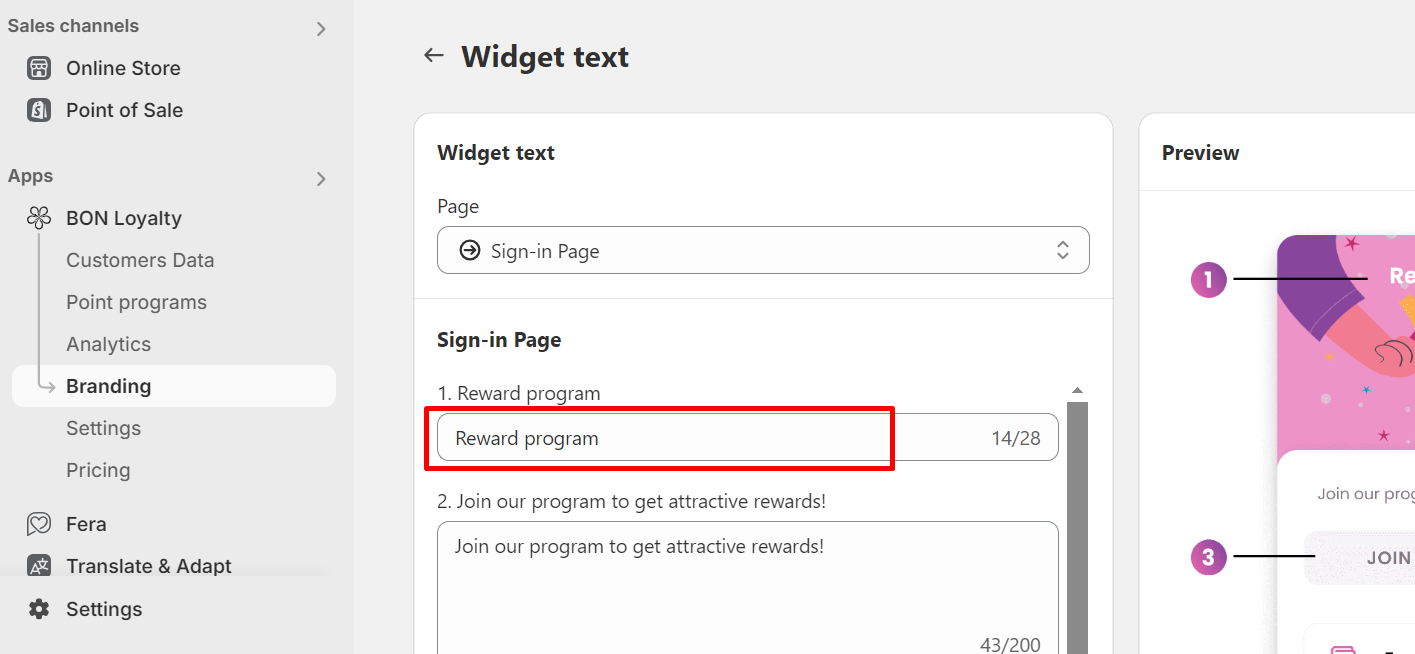
1. ロイヤルティプログラム名

ロイヤルティプログラムの名前を変更するには、サインインページのサブタブに移動し、ボックス1リワードプログラムを編集してください。

Loyalty program name

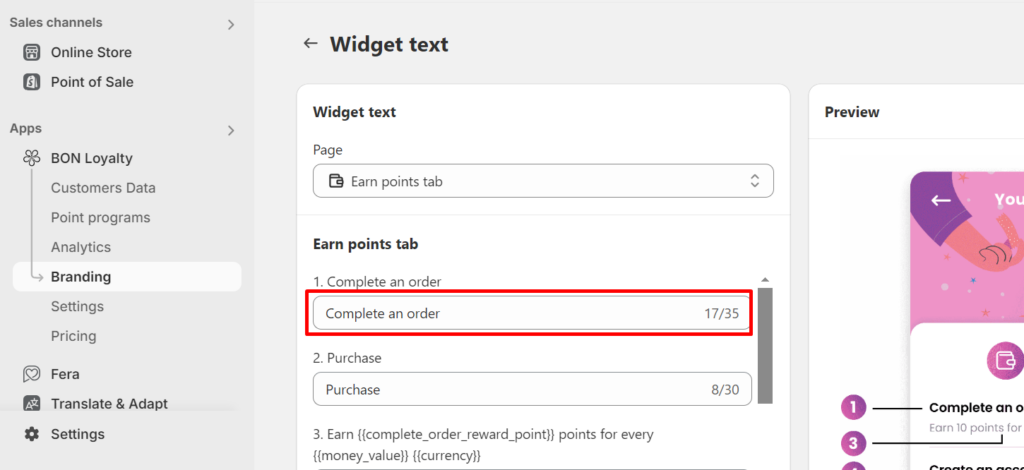
2.注文完了』ウィジェットテキスト

デフォルトの「注文完了」テキストをカスタマイズしたい場合は、 ポイント獲得のサブタブに移動し、ボックス1注文完了を見つけて、ブランドに合わせてテキストを編集してください。

注文完了

3. 『紹介プログラム』ウィジェットテキスト

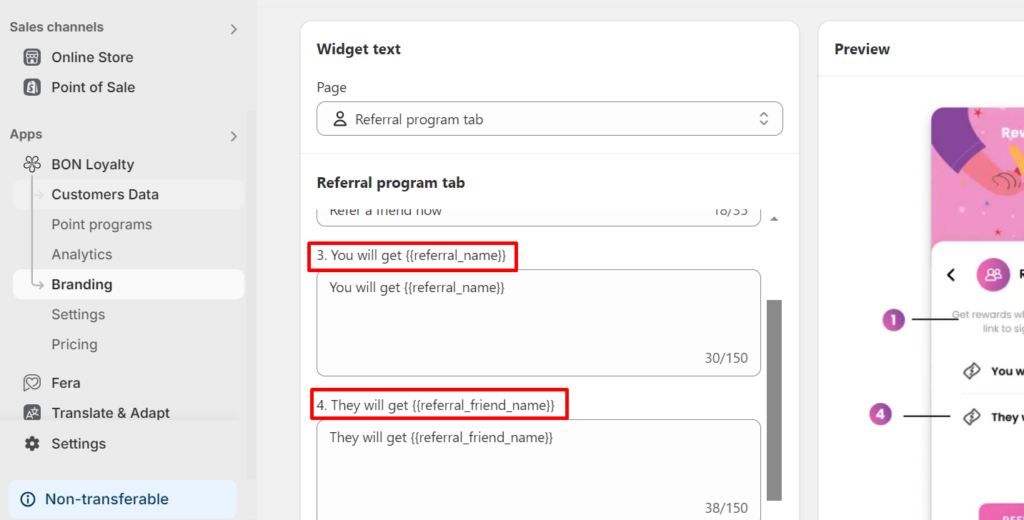
After configuring the reward offers and titles in your 紹介プログラム, you can customize the default text, “You/They will get …”. Simply go to the 紹介プログラム sub-tab and edit Boxes 3 and 4. Please ensure the placeholders {{_}} remain unchanged as they dynamically display the Referral reward titles.

Referral rewards

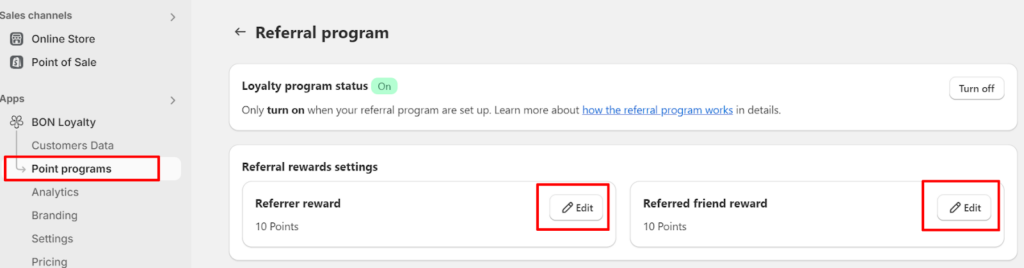
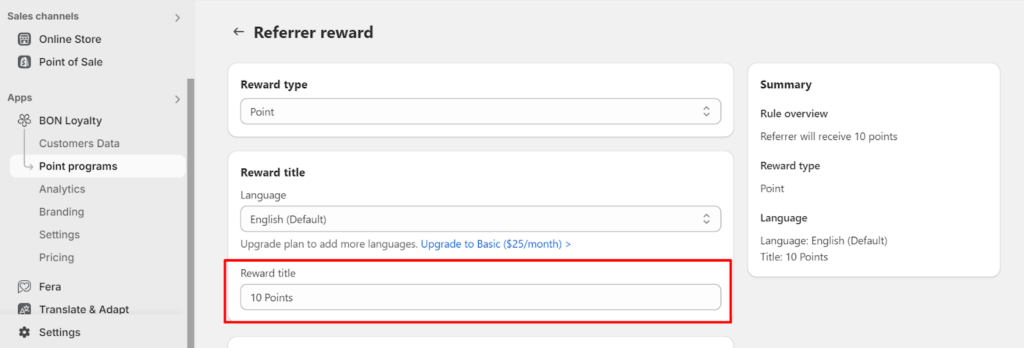
重要:: Make sure to set up the Reward titles in the 紹介プログラム so that this title automatically updates via the placeholders {{_}} in Boxes 3 and 4 above. To change the Reward titles, go to Point programs > 紹介プログラム > Click on Edit in each setting of the referral rewards > Change the Reward titles of each referral party.

Was this guide helpful?