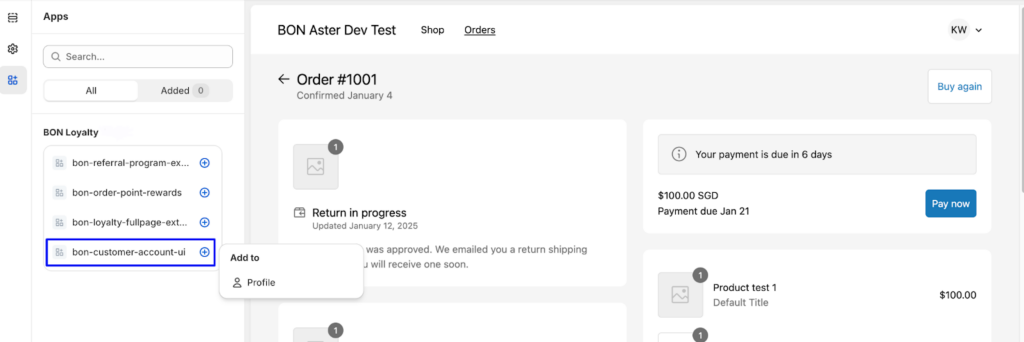
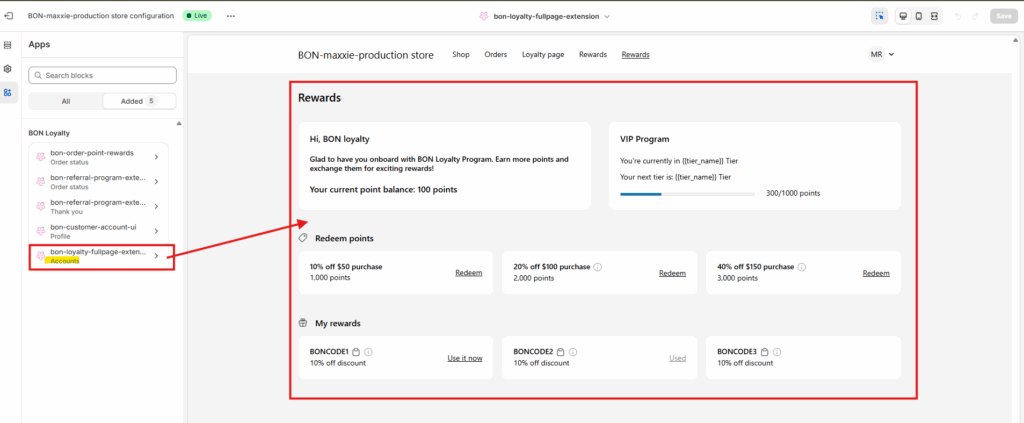
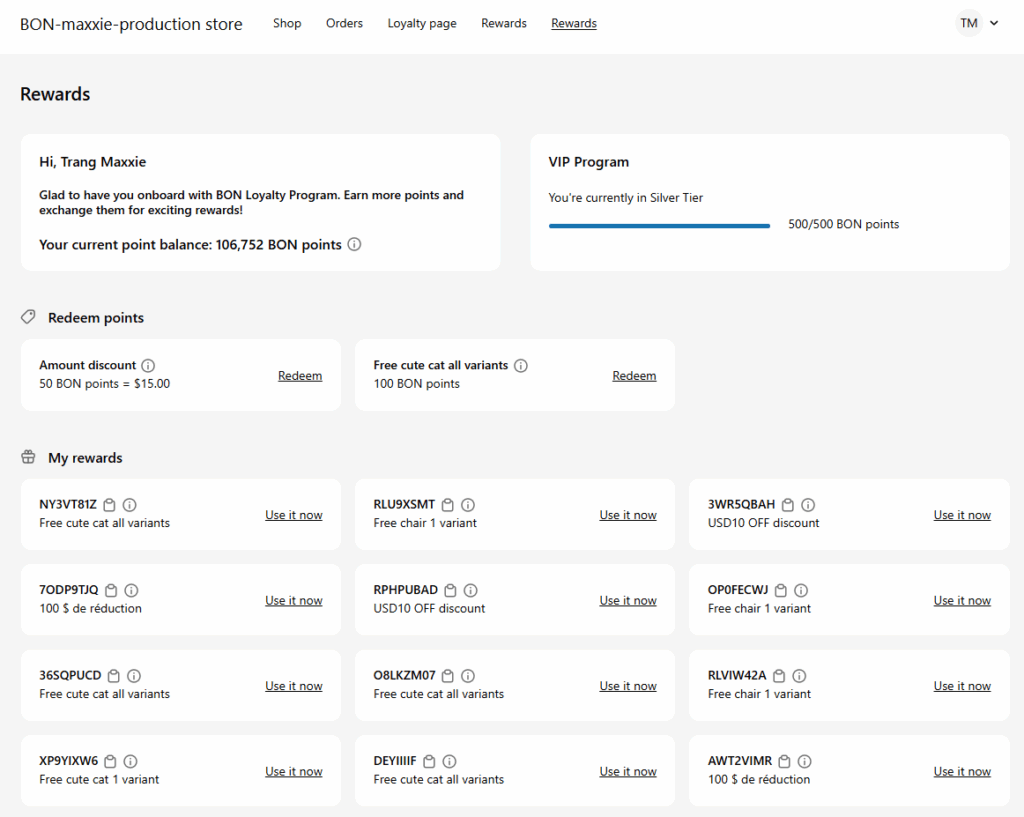
After adding the bon-customer-account-ui app embed above, don’t forget to add the bon-loyalty-fullpage-extension. With this extension, the customer shopping experience is enhanced by adding a dedicated tab for tracking membership progress, viewing membership tiers, or checking and redeeming points directly on the new Customer Account page. All these features can be found in thebon-loyalty-fullpage-extension.
BON referral-program-extension on the Thank You page
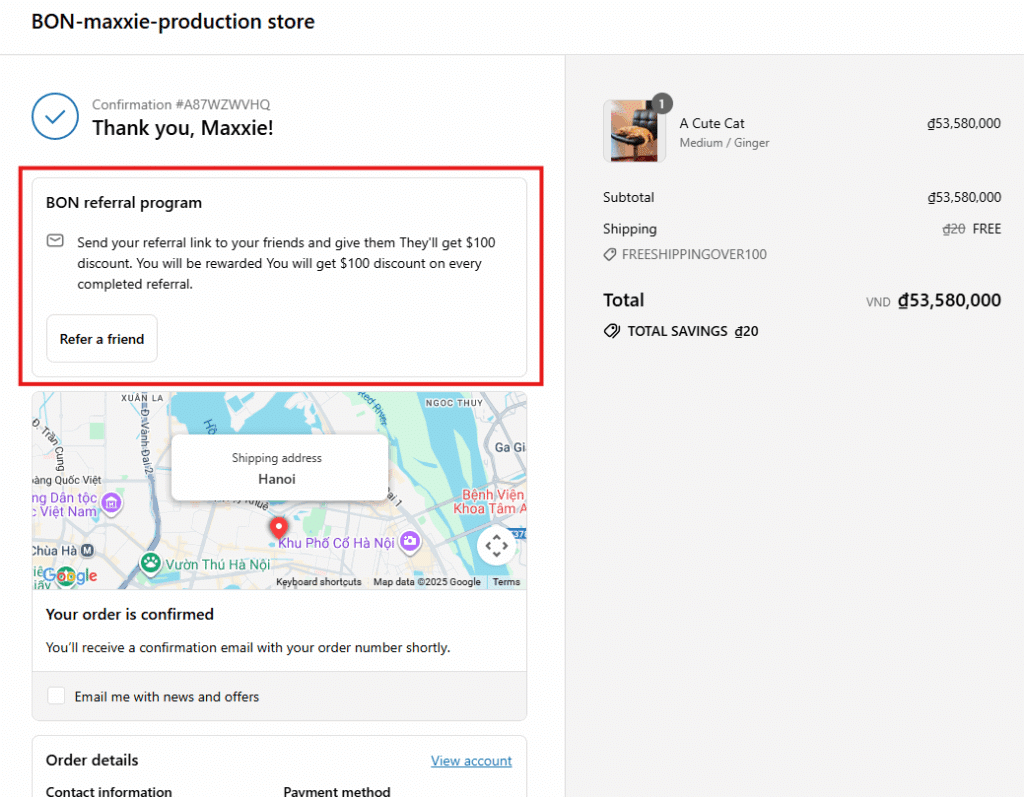
On the Thank You page, you can add the bon-referral-program-extension to make it easy for customers to access their referral link and share it with friends and family, helping you attract more organic traffic.
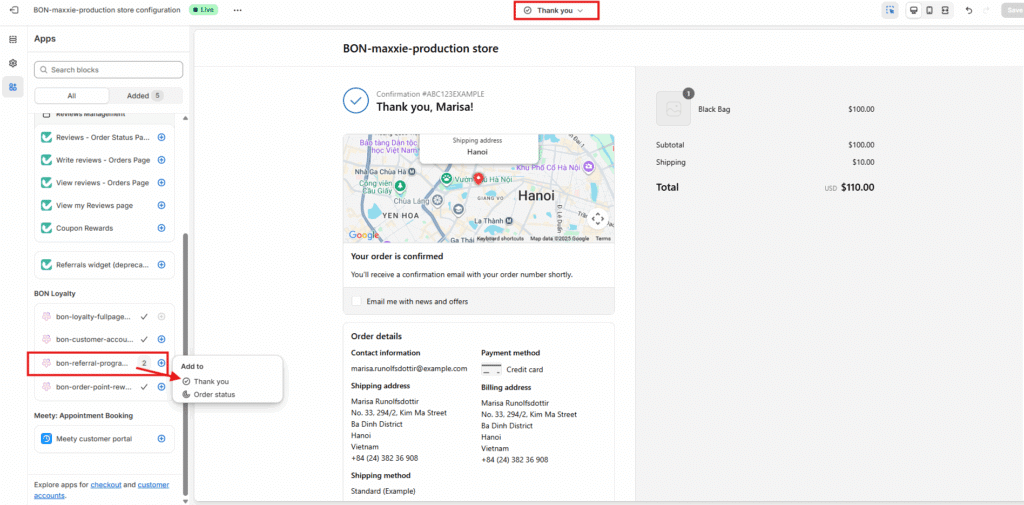
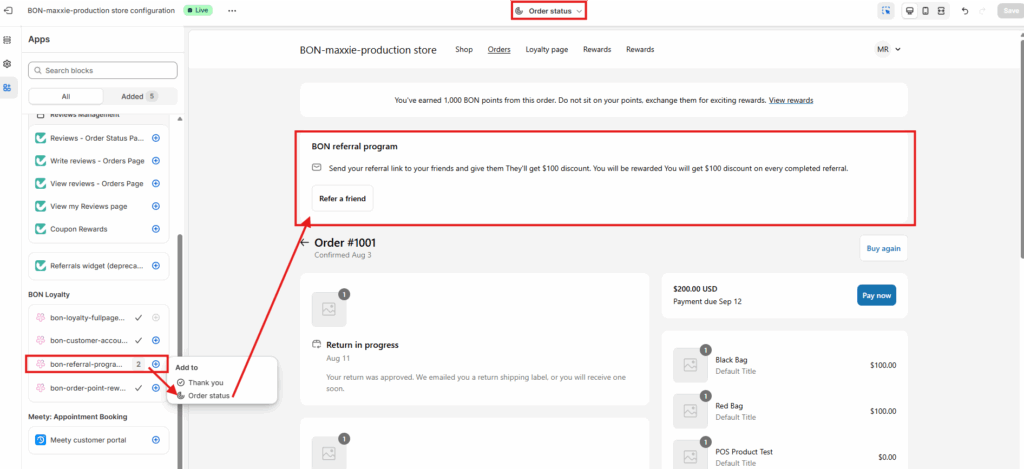
As you are already in the editing tab for Checkout and customer account, go to Apps > Select extensions called bon-referral-program-extension > Add it to the Thank You page.
重要:: Shopify currently does not allow app embed extensions to be displayed in the Theme preview for the Thank You page. After adding the bon-referral-program-extension to the Thank You page, please place a test order to view it on the actual Thank You page from the customer’s perspective.
Here’s what the bon-referral-program-extension appears on the actual Thank You page.
BON referral-program-extension & order-point-rewards on the Order Status page
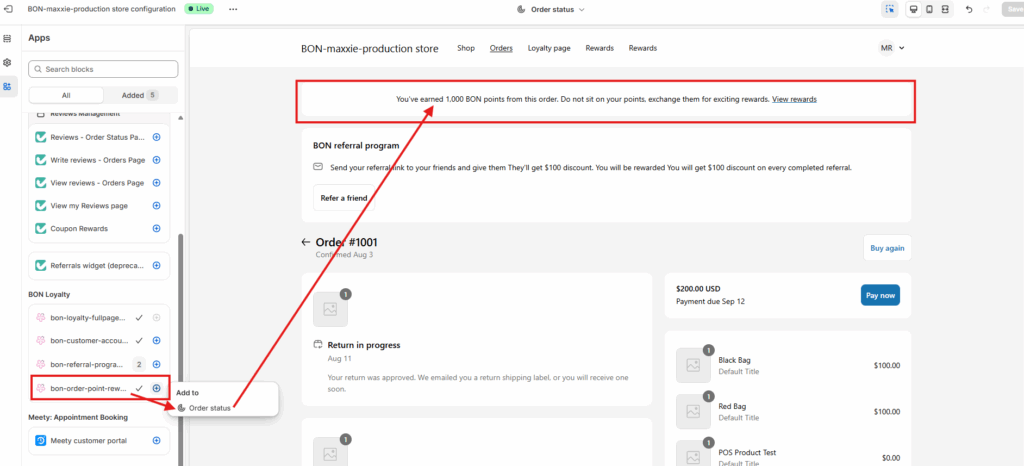
The bon-referral-program-extension and bon-order-point-rewards app embeds allow customers to easily refer their friends and see how many points they earned from the order they’ve just completed on the Order Status page.
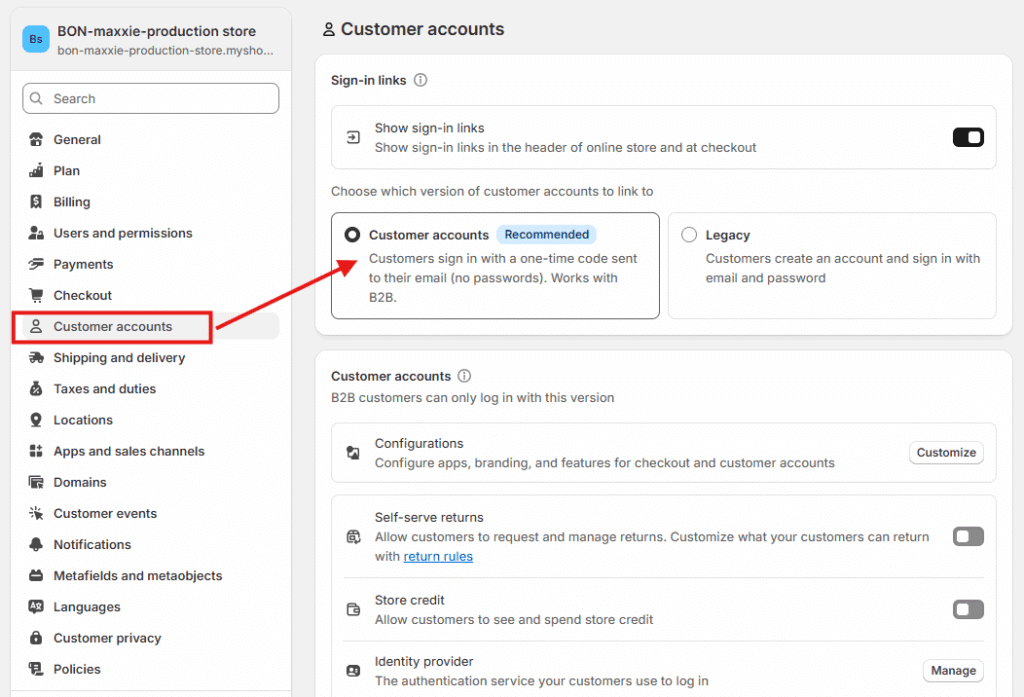
重要:: Please ensure that you have activated the Referral Program and rewards in BON > Point programs > ポイント交換. Also, in Shopify > Settings > Customer accounts, make sure the Customer Account login type is selected. Otherwise, these extensions will not appear.
As you are already in the editing tab for Checkout and customer account, go to Apps > Select extensions called bon-referral-program-extension > Add it to the Order Status page.
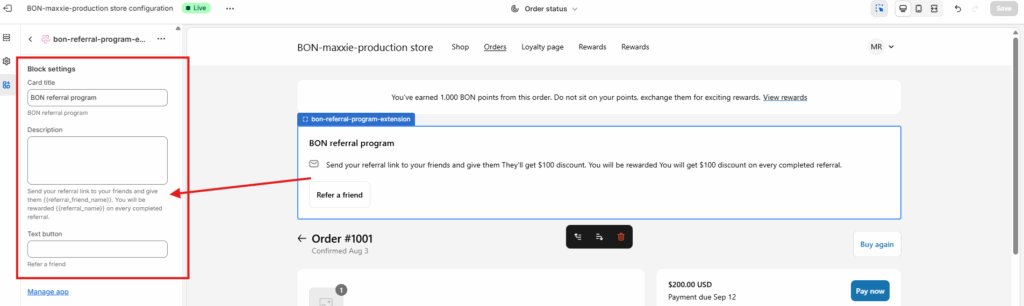
To edit its content, you can adjust the default text by typing in the text inputs in the left corner. While editing, please make sure you do not change the attributes in the {{_}}. The direct link in the hyperlink text is by default and cannot be changed.
As you are already in the editing tab for Checkout and customer account, go to Apps > Select extensions called bon-order-point-rewards > Add it to the Order Status page.
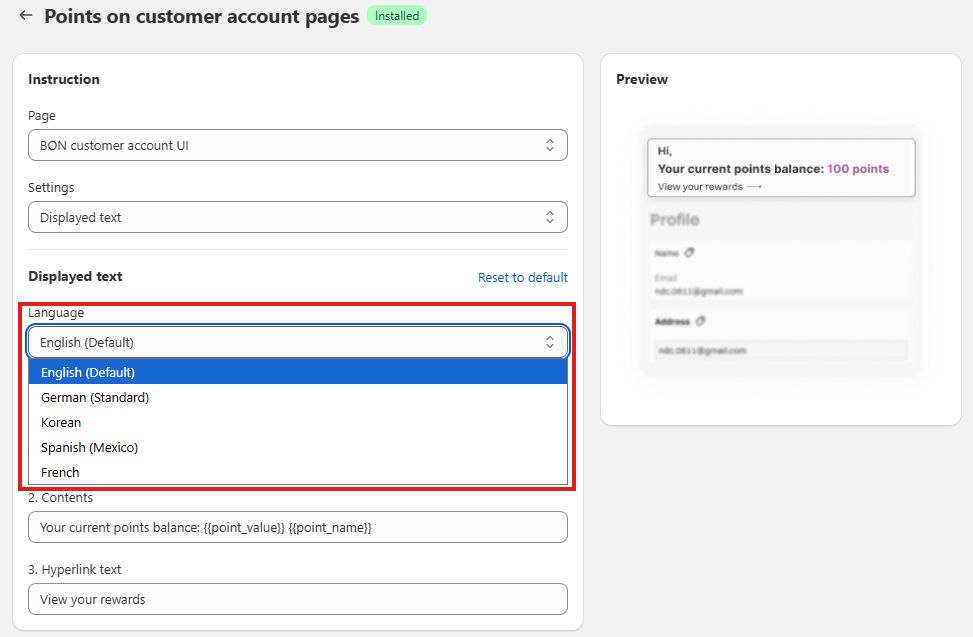
How to customize the extension content and display the extension in multiple languages?
1. Customize the extension content
You can edit the text of the embedded content to match your branding:
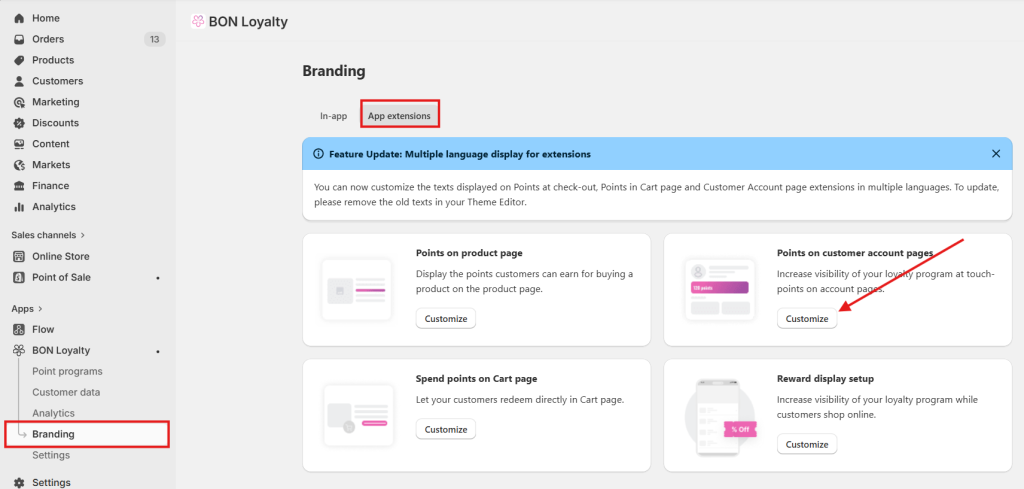
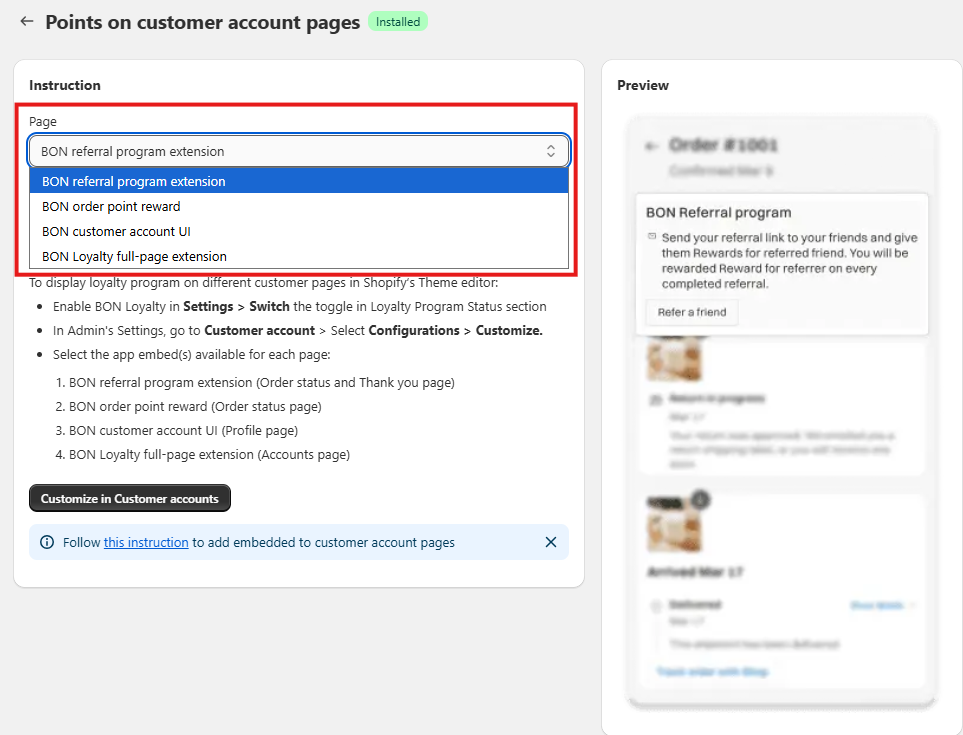
Go to Branding > App extensions > Points on customer account page.
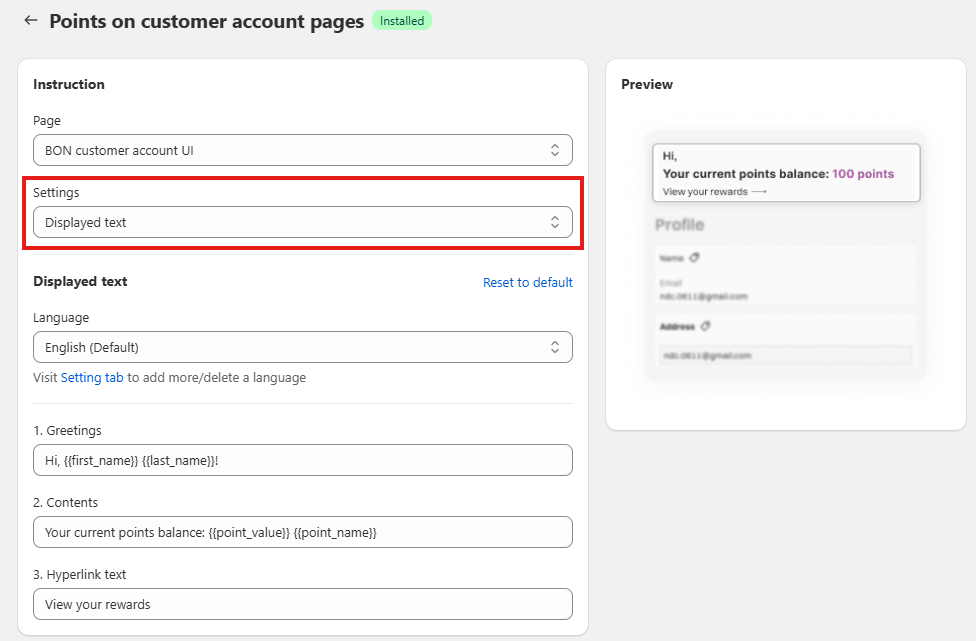
Select the extension you would like to adjust > Settings “Displayed text” and customize the content as you want.
注意:
While editing, please do not change any attribute in {{_}}, as they are used to display the dynamic values from BON Loyalty.
If you’d prefer not to display both the first and last name, you can choose to use either {{first_name}} or {{last_name}} attribute instead, whichever fits your message best.