Managing and merging customers’ profiles in BON Loyalty
Learn how to organize, manage customer information, and merge duplicate accounts into one.
Overview of customer profile in BON Loyalty
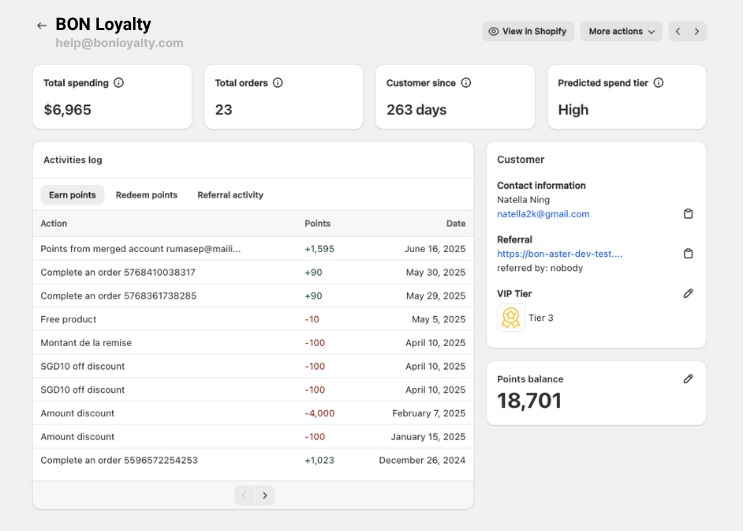
When a merchant clicks on a specific customer’s email, the panel displays comprehensive details about the customer, categorized as follows:
1.1 Basic Information
Name
Email
Referral information
1.2 Loyalty Program Information
Points Balance: Total accumulated loyalty points.
VIPランク: The customer’s tier (e.g., Bronze, Silver, Gold, etc.).
Redeemed Points: Records of points redeemed for rewards.
Earned Points: Details of purchases and points earned.
Customer tag: VIP Tier tag to characterize customers in Shopify Admin.
はじめに
In this document, you will gain a comprehensive view of the Customer Profile, including loyalty program details and account merging.
Merge the customer account
Merges two accounts belonging to the same customer (e.g., registered with different emails).
重要: The account displayed below in the merge screen will be kept, while the one above will be removed after the merge is completed. The merge process should be handled in BON first, then in Shopify Customers.
2.1. Steps to Merge Accounts
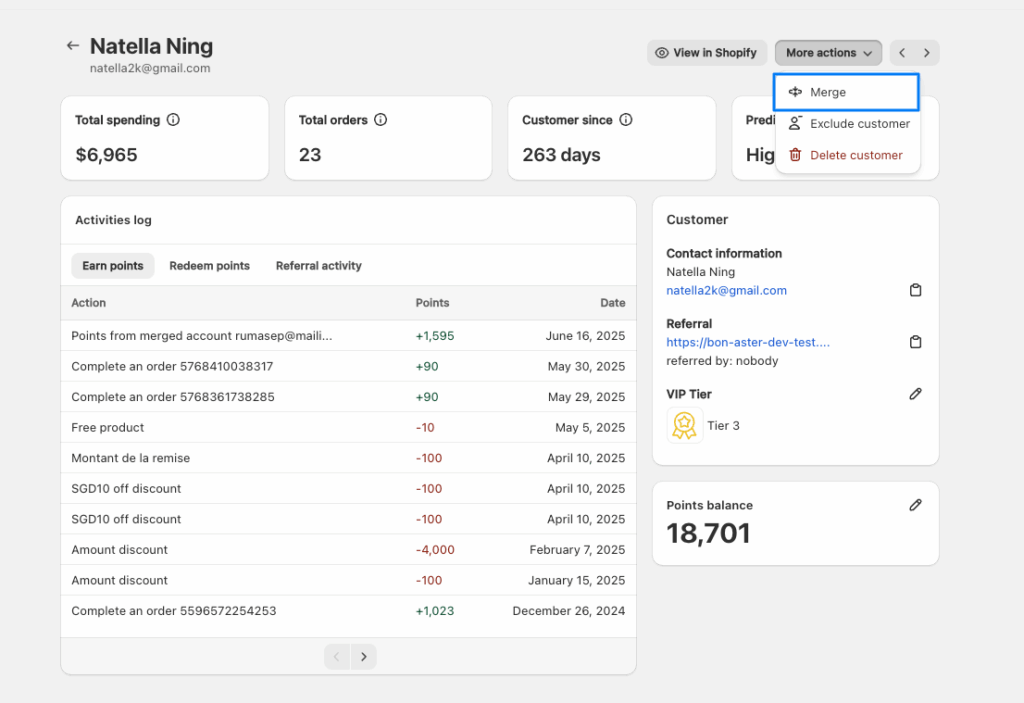
Navigate to More Actions > Merge.
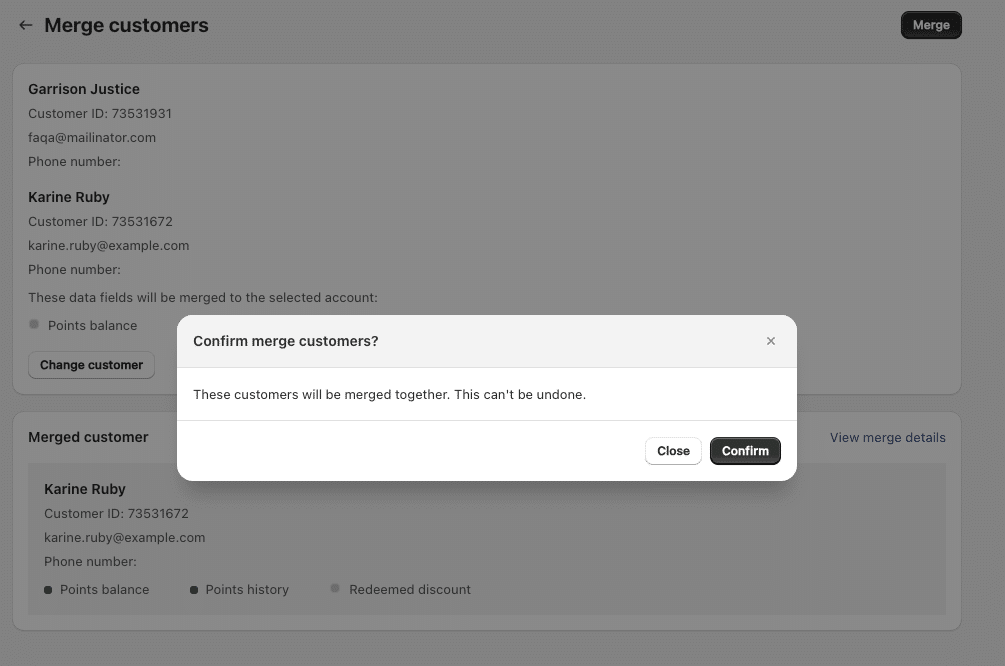
Select the Keep Account (primary account to retain) and the Merge Account (account to be merged).
Review the merge details and confirm.
2.2. Merge Logic
Points, Earn/Redeem History, and Redeemed Rewards: Transferred from the Merge Account to the Keep Account.
Basic Information (e.g., Birthday, Phone Number): Retained from the Keep Account.
Tier Update: Recalculated based on total money spent or points earned post-merge.
Post-Merge: The Merge Account is deleted, and login attempts with it will treat it as a new account.
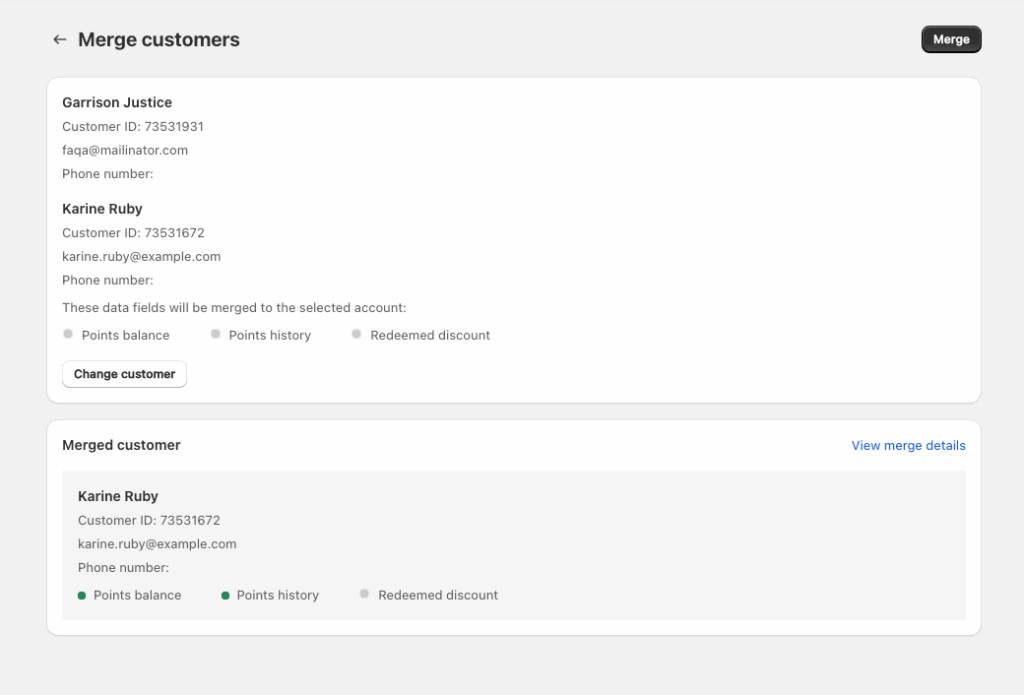
2.3. After Selecting Merge Account:
Indicators reflect the data available in the selected Merge Account.
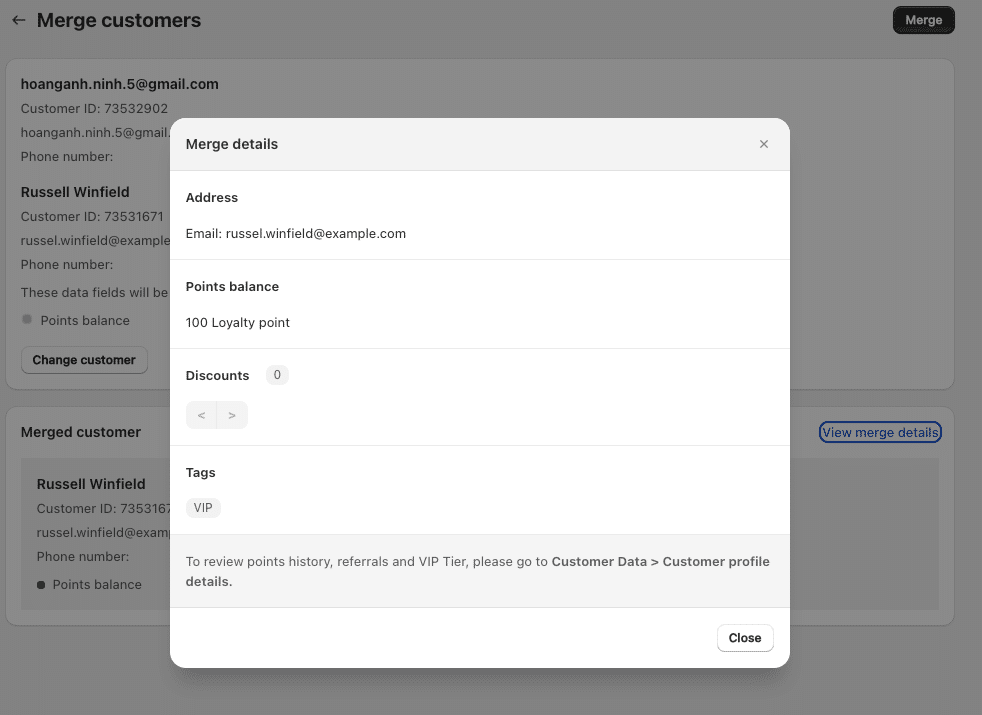
2.4. Merge Details Display
Basic Information: Show the email and address of the Keep Account.
Points Balance: Combined total after merging.
割引: Lists of all discounts and their status (used/active/expired).
タグ: Displays merchant-assigned tags (excluding tier tags, which sync post-merge).
注意: Points history from one-time actions (e.g., account creation, newsletter subscription, birthday rewards) in the Merge Account is excluded to avoid duplication.