How your customers interact with the BON Loyalty Program
Understanding customer interaction with the BON Loyalty Program
Introduction
Want to understand how the BON app works from a shopper’s perspective? This is the guide for you! Here we introduce how your customers can join and enjoy the benefits of your store’s loyalty program. Let’s step into your customers’ shoes and get started. 🎉
How do customers join the Loyalty Program?
BON pulls data from your Shopify admin store; all customers, online & in-store, automatically join the Loyalty program. No need to create a separate loyalty account. When a customer signs up or sign in to your store, their data will be automatically synchronized into BON and they can enjoy earning points and redeeming rewards in no time.
How do customers view the Loyalty Program?
There are 2 ways to showcase the loyalty program:


Through the Widget: A pop-up window in the corner of the screen. It can be placed on all pages.
Through the Loyalty page: separate landing page that gives users more space to explore
How do customers earn points?
There are many ways for customers to earn points: creating an account, subscribing to the newsletter, completing the profile, placing an order, and more. Once completing any of these actions, customers will automatically receive reward points.
How do customers redeem points?
After accumulating enough points, customers can redeem them for discounts, free items, free shipping codes, etc. Once they click ‘Apply Now‘, the code will be automatically added to the cart and ready at checkout.
How do customers view their current points and rewards?
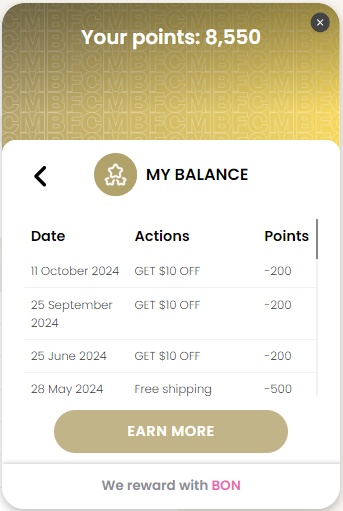
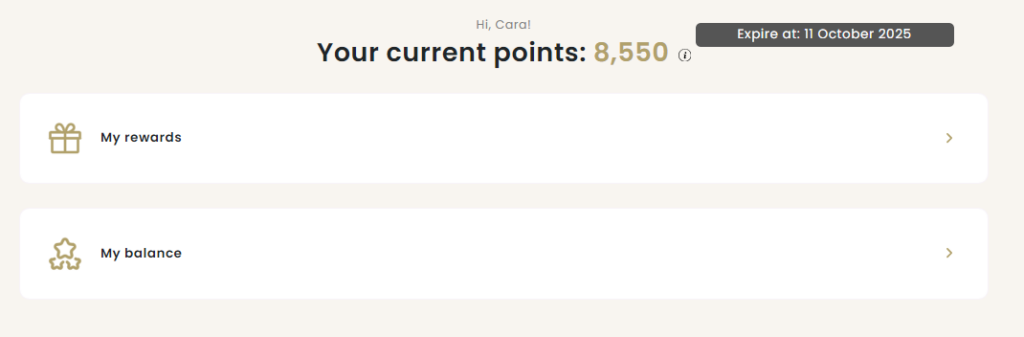
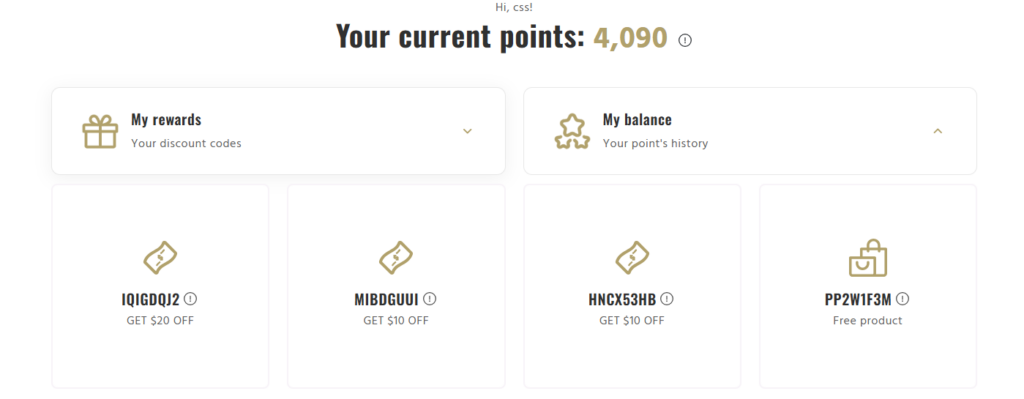
Once customers sign in, they can easily check their point total in the My Balance tab. They can see a breakdown of all the actions they’ve taken to earn and redeem points.
Check current point balance on the widget
Check the current point balance on the Loyalty page
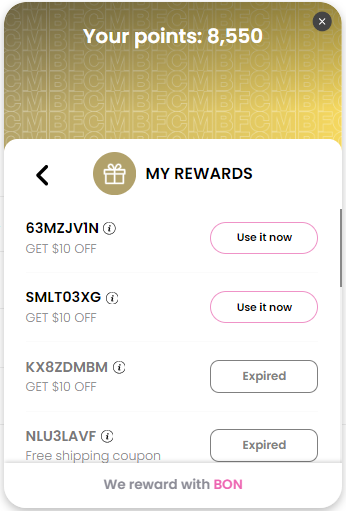
Check redeemed rewards on the widget
Customers can view and manage their available rewards in the My Rewards tab.
Check redeemed rewards on the Loyalty page
How do customers invite their friends?
Each member has a unique referral link and they can access this link after signing in to their account. After that, they can share this link with their families and friends. When a customer refers their friend, the friend receives a reward. After the friend makes their first purchase, the referring customer will also receive a reward.
How do customers become VIP members?

The more customers spend, the faster they will be upgraded to VIP. At each VIP level, customers can enjoy their own special benefits.