Rewarding customers for leaving a review,
with LAI Review app
Rewarding customers for leaving reviews incentivizes feedback, fostering positive relationships, encouraging repeat business and building social proof. To use the “Leave a review” feature, you must integrate BON with at least one of our Review app partners. This document will instruct you on how to use the “Leave a review” feature with the LAI Review app.
NOTE: The “Leave a review” feature will be available on the Basic plan and higher. Check out our Pricing plans for more details!
Integrate BON Loyalty and LAI Review
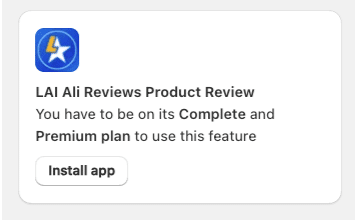
To reward the customers for their published reviews on LAI Product Reviews, you are required to install this app before activating Leave a review rule.
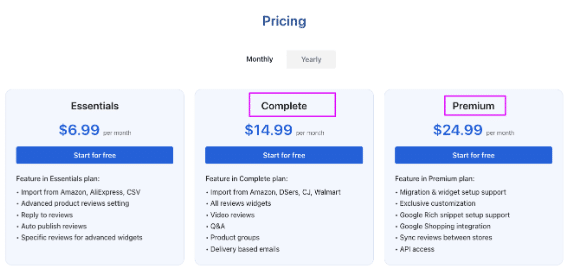
NOTE: You must subscribe to the Complete or Premium plan to be able to use the Integration feature in LAI Products Review.
Enable the “Leave a review” option in BON
NOTE: BON does not interfere with how merchants set up the conditions for reviews. Kindly configure it in the LAI app.
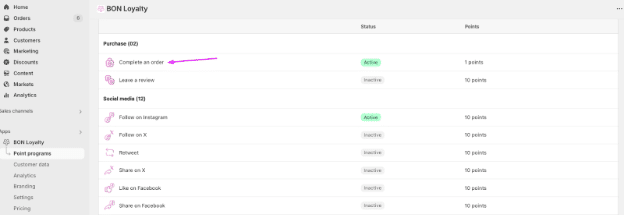
First, go to BON > Point programs > Set up in Earn points > Click on Leave a review rule.
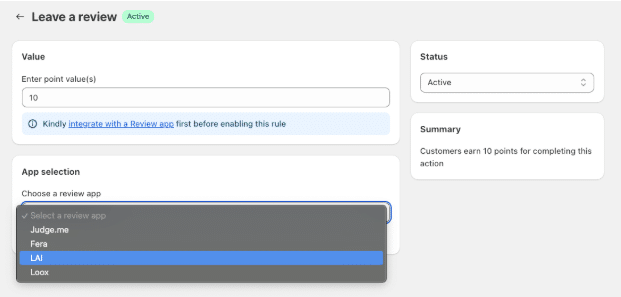
In the Leave a review window, you need to set up how many points customers will earn for a published review.
Next, select the LAI Review app from the list:
Make sure the integration is successful before activating the option. Then fill in the number of points you want to reward when a customer leaves a review for your store.
Finally, click Save to update the setting.
Integrate BON x LAI Review
When you need app integration, kindly contact our support team for help, via our live chat in BON app, email [email protected], or enter this attribute ‘?show_integrate=true’ in your URL.
For example: https://admin.shopify.com/store/bon-xxx-demo-store/apps/bon-loyalty/settings/integration?show_integrate=true
IMPORTANT NOTE: LAI app must have been installed in your store, with LAI’s Complete or Premium plan activated in order to integrate with BON.