Managing your customer data is essential to keeping your loyalty program efficient and tailored to your business needs. In this guide, we’ll walk you through simple steps to remove or exclude customers from loyalty activities, ensuring your database stays organized and effective.
Delete customers
Deleting customers is the action that wipes off customers’ data from the BON Loyalty Program.
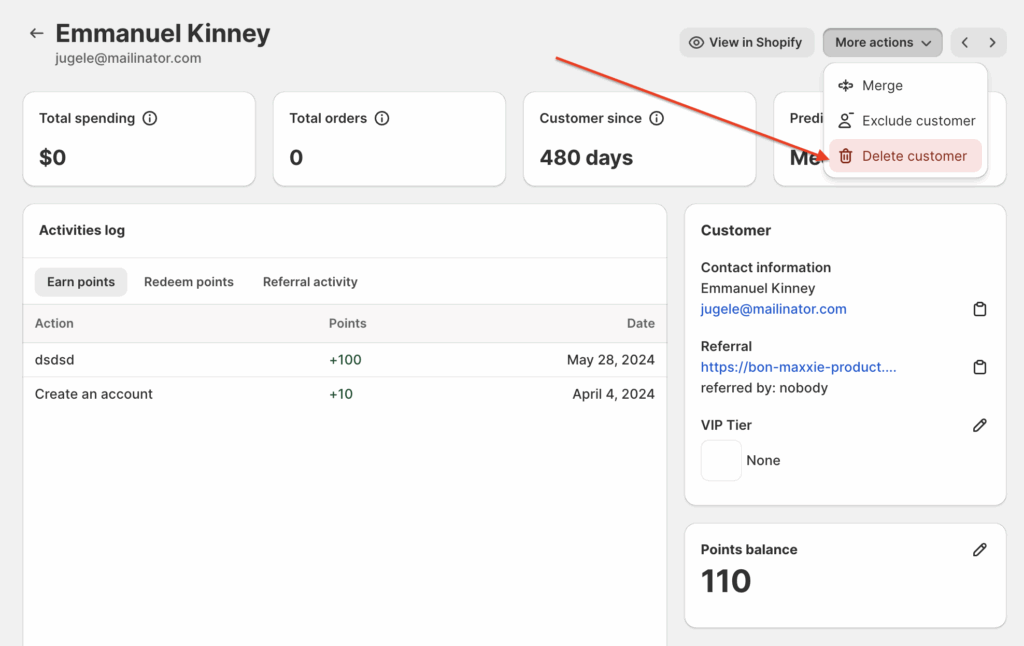
To delete a customer, navigate to BON Loyalty > Customer Data > Click on the customer’s name > More actions > Delete customer.
After deleting a customer, the customer data stored in the BON system will be completely erased and this action cannot be reverted. You are no longer able to see the deleted customer’s name, point history, and any activities in BON.
If the customer signs in to the Loyalty Program again, he can no longer see his previous data. When he starts earning points again, his new data will be updated.
Exclude customers
Excluding customers means blocking them from the BON Loyalty Program.
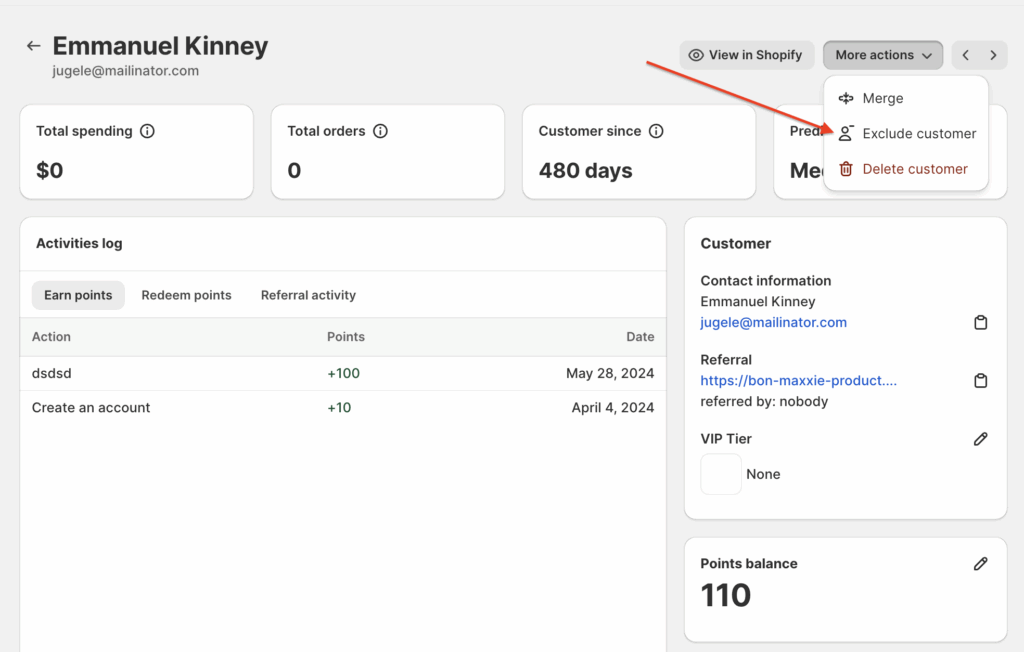
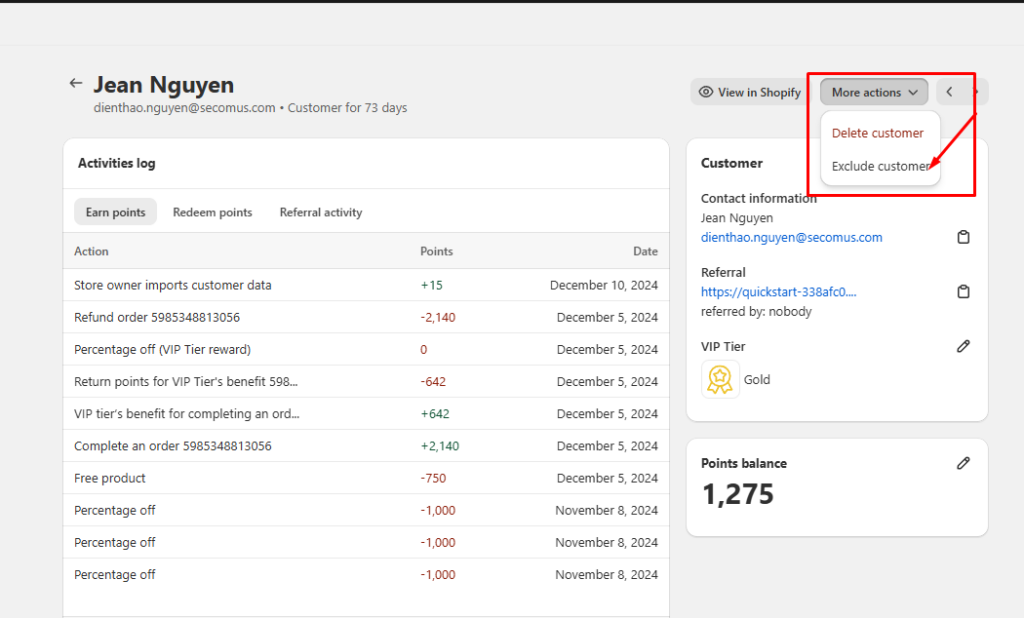
To exclude a customer, navigate to BON Loyalty > Customer Data > Click on the customer’s name > More actions > Exclude customer.
NOTE: While being excluded, the customer will no longer be able to sign in to your loyalty program or participate in any earning activities. They will not be notified of this action. The store’s admin can still see the customer’s data in BON’s backend.
Re-include customers
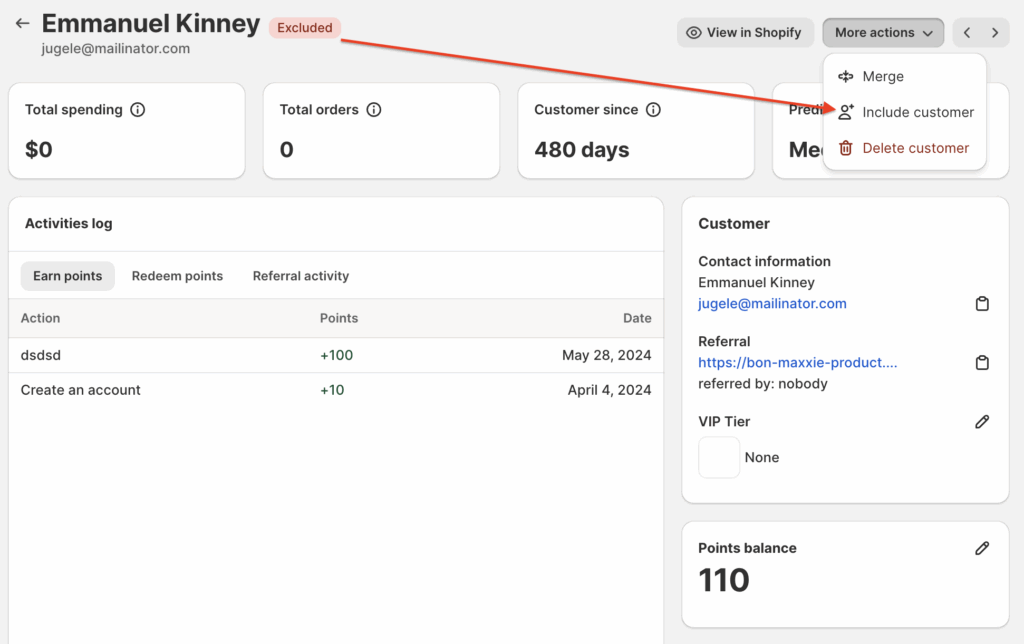
After excluding customers, you can always re-include them into the Loyalty Program by clicking More actions > Include customer.
NOTE: If a customer is re-included, they will regain access to the loyalty program, and all their previous data will remain intact.
You can add the customer back to the loyalty program by clicking Include.