How the 'Create an account' point-earning action works
Set up the ‘Create an account’ point-earning action and understand how it works
Introduction
The “Create an account” point-earning action encourages customers to become members of your Shopify store and provides merchants like you with valuable customer data, fostering a strong start to their loyalty journey.
How it works
IMPORTANT NOTE: Customers don’t need an account to participate in the Loyalty program. BON automatically syncs all customer data from your Shopify admin, so every customer—whether they have an account or not—exists in BON and can earn points for the ‘Create an account’ action once per unique Shopify Customer ID. However, customers must sign in to redeem their points online.
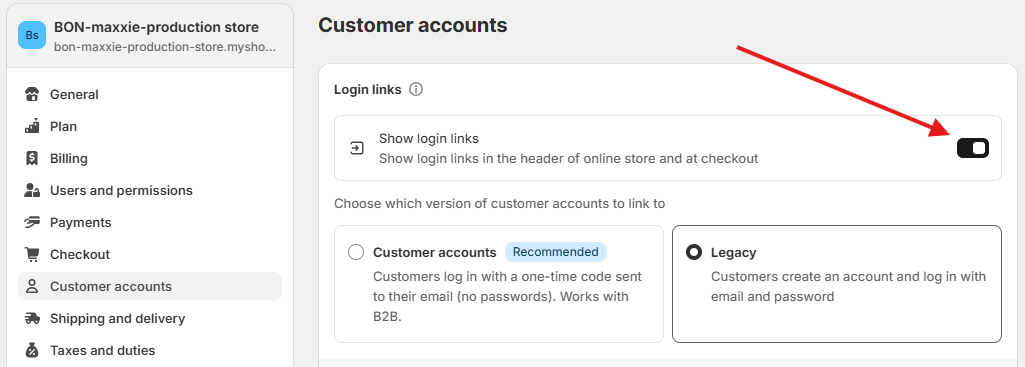
If you want to activate online Shopify accounts > Go to Shopify > Settings > Customer accounts > Turn on Show login links > Choose Customer accounts or Legacy.
The ‘Create an account’ feature works for both types of Customer accounts in Shopify:
Legacy: Customers create accounts by using their username and password.
Customer accounts: Customers log in with a one-time 6-digit code sent to their registered email address.
How to enable the ‘Create an account’ action
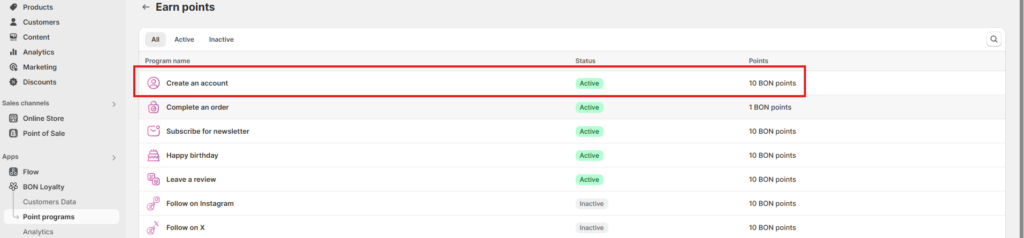
Go to BON Loyalty > Point Programs > Click Create an account
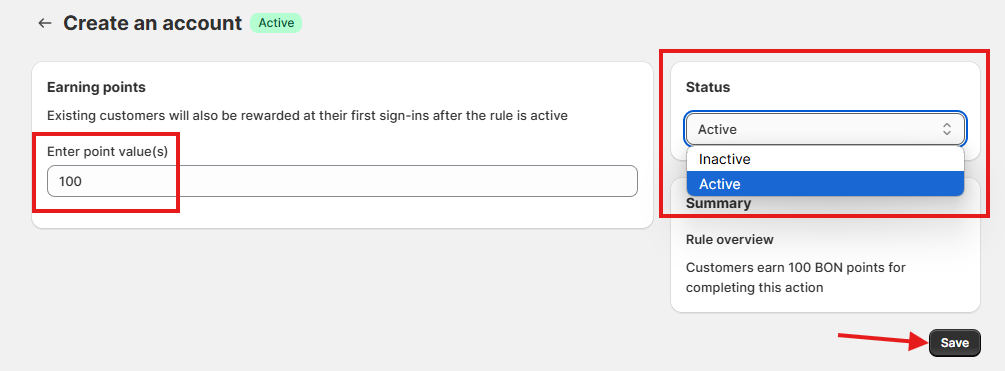
Set up the number of points you want to reward your customers > Click on the Status dropdown > Select Active > Save
How the ‘Create an account’ action works
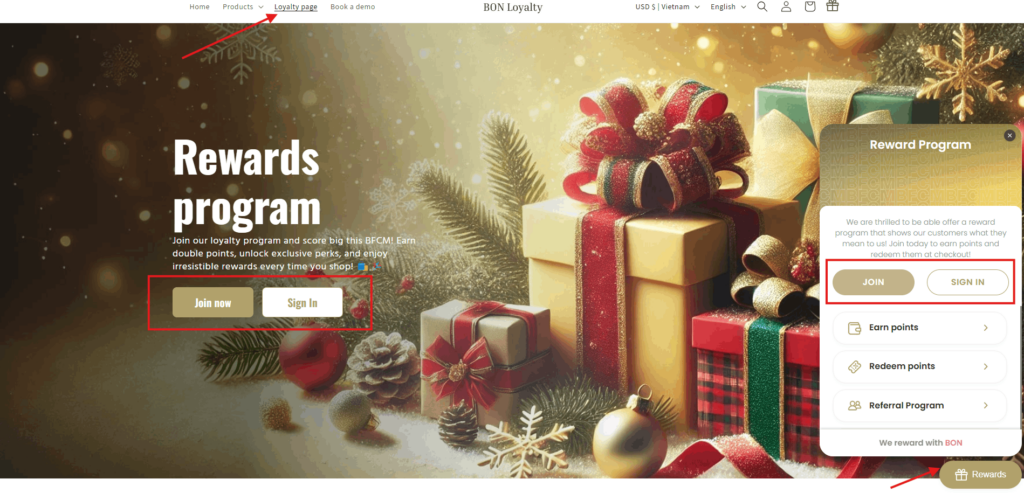
Customers can click on the ‘Join’ or ‘Signin’ button in the widget/loyalty page, and they will be redirected to the Login page of Shopify to create their accounts.
NOTE: BON shares the same ‘Sign-in’ and ‘Registration’ pages as your Shopify store, so there’s no separate registration process for BON. When customers sign in or sign up on your Shopify store, they’ll automatically be synced and signed in to BON. So clicking ‘Join’ or ‘Sign in’ on the BON widget or loyalty page isn’t necessary—these buttons simply redirect customers to your Shopify sign-in and sign-up pages.
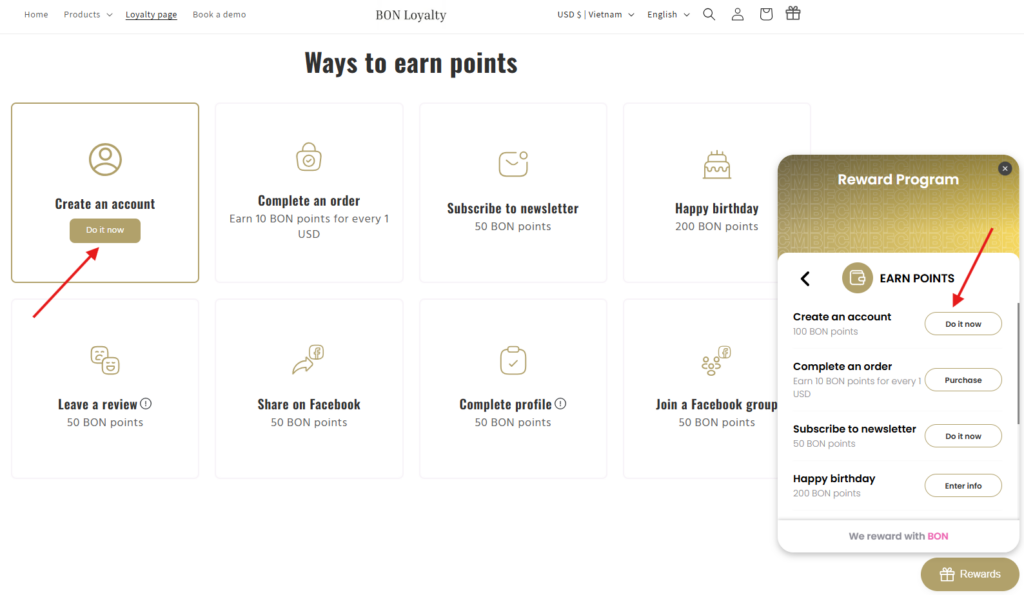
Or at the Earn points tab on the widget/loyalty page, customers can click on the ‘Do it now’ button at the ‘Create an account’ action, they will also be directed to the Login page of Shopify to create their accounts.
Once successfully signed up or signed in, customers will earn points for creating accounts immediately and be automatically redirected to the Customer Account page, which is under Shopify’s control.
NOTE: All customers can earn points for the ‘Create an Account’ action even without signing up, as BON syncs all customer data directly from your Shopify admin. Rest assured, while everyone can earn points for this action, customers can only redeem their points if they sign in to your Shopify store.