Order Booster display​

Order Booster display

Learn the differences between the Order Booster pop-up and Order Count extension

Introduction

Want to encourage customers to keep buying? The Order Booster display helps by showing them how close they are to earning a reward based on how many orders they’ve completed. You can fully customize how and where it shows up in your store.

IMPORTANT NOTE: Displaying the Order Booster is available from the Growth plan or higher. Check out our pricing plans for more information!

Overview

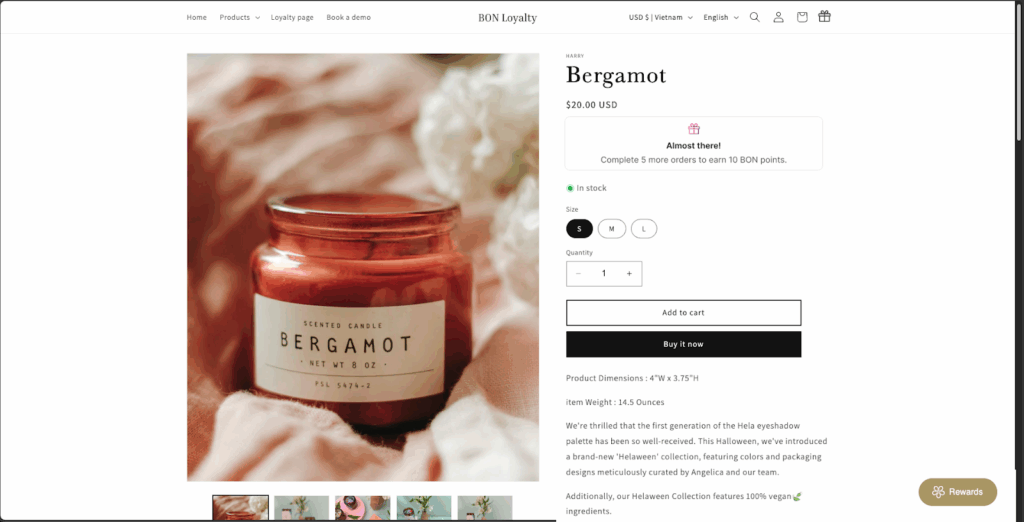
Show Order Booster Counts on the product pages

The Order Booster Count is added directly to your Shopify theme. It appears right on the product pages or in the product details section.

Best for: Letting customers know how many more orders they need to unlock a reward, right when they’re deciding to buy.

Order Booster count

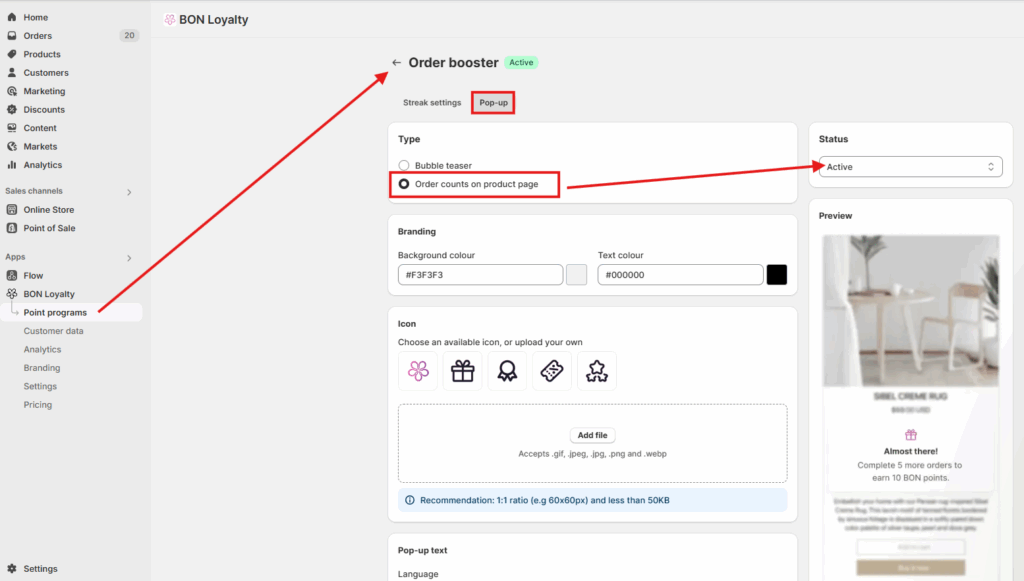
Go to BON > Point programs > Order booster > Pop-up > Order counts on product page > Active.

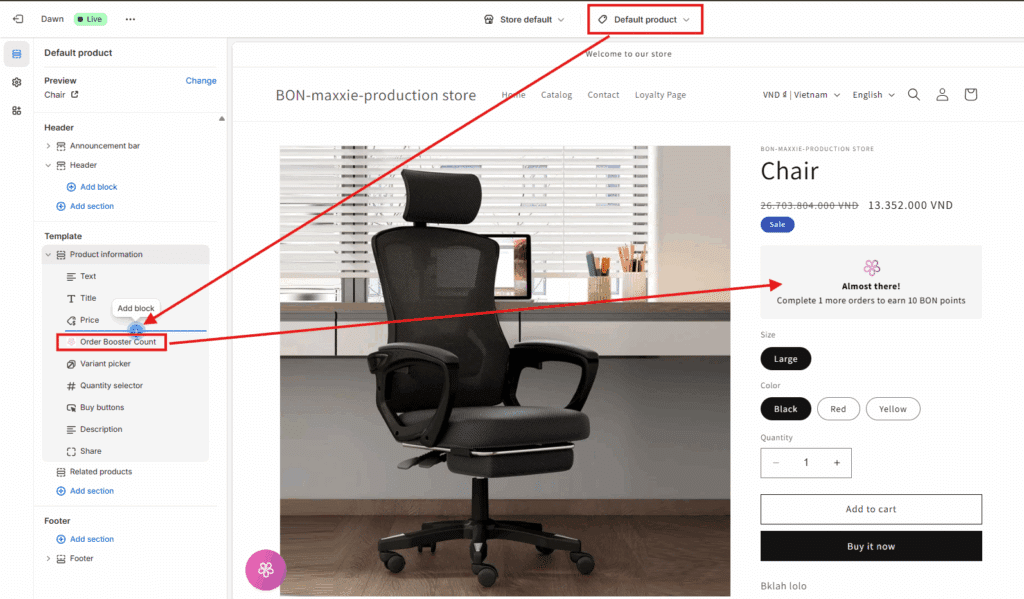
Then go to Theme > Customize > Products > Product page templates > Add block > Order Booster Count.

Show a floating Bubble Teaser

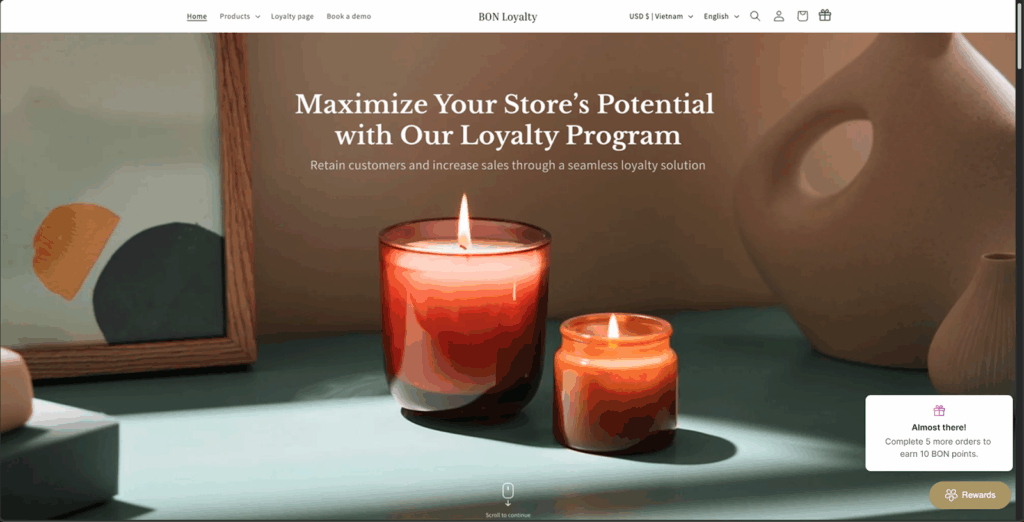
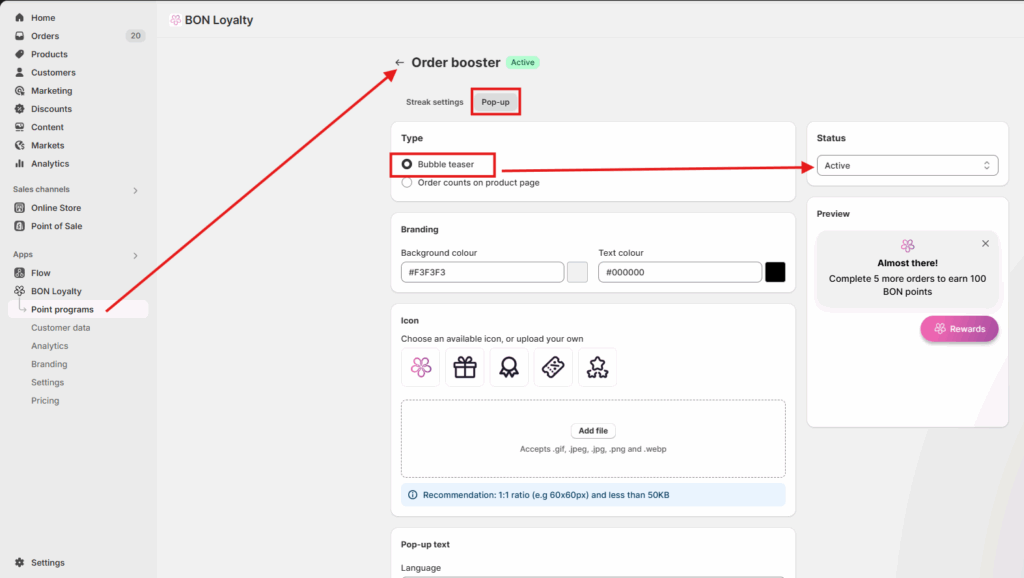
The Bubble Teaser is a small floating pop-up that sits above your loyalty widget. It can show up across all pages (like the homepage, product page, or cart), or just on specific ones.

Best for: Gently reminding customers about their progress towards a reward as they browse your store.

Order Booster popup

Go to BON > Point programs > Order booster > Pop-up > Bubble teaser > Active.

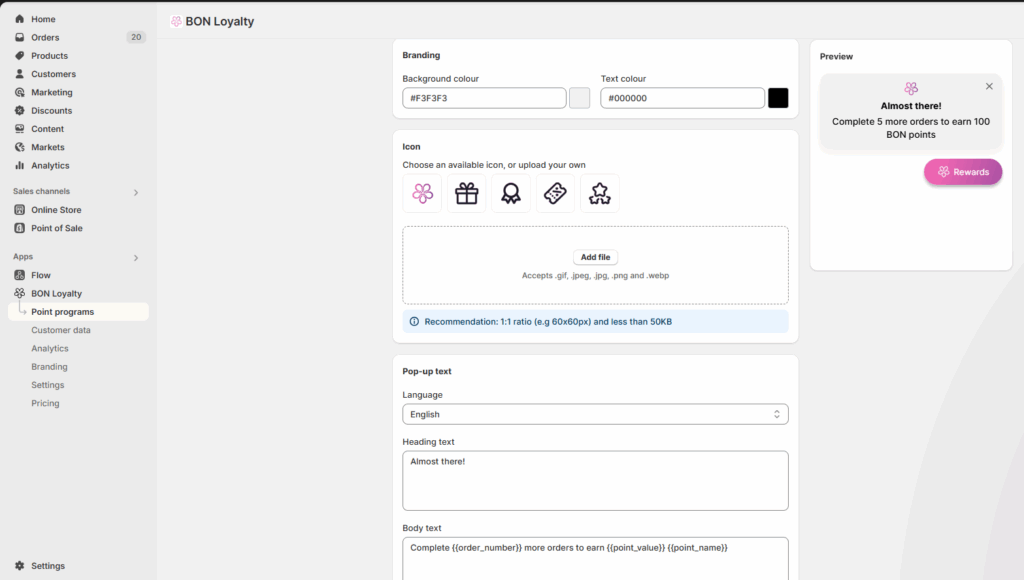
Make it yours – Customization options

✏️ The message and language.
🎨 The design and colors of the widget.
🗺️ Where it shows on your site (you can hide it on specific pages if needed).

Customize

Order Booster display placements – Comparison table

Feature/Aspect

Order Counts on Product Page

Bubble Teaser (Floating Widget)

Display placement

Directly on the product page, near the “Add to Cart” button

Bottom-right corner of all website pages

Customer Journey Stage

Mid to late (decision-making moment)

Early to mid (site browsing or discovery phase)

Primary Goal

Drive immediate purchases by showing how close customers are to a reward

Maintain awareness and build anticipation throughout browsing

Message Personalization

High – can reflect specific order counts and product context

Medium – general progress-based message without product context

Motivational Impact

Strong – nudges conversion directly at the product level

Gentle – subtle reminder that builds emotional engagement

Visual Disruption Level

Low – blends naturally into the product layout

Medium – may be ignored or closed if not well timed

Best Use Case

When customers are likely to buy soon or are comparing products

When customers are browsing multiple pages or unsure of what to buy

Customization Options

Message content, position, branding

Message content, position, branding

Immediate

purchase impact

✅ High

❌ Low

Product-specific

info

✅ Yes

❌ No

Visibility

❌ May be overlooked if not read closely

✅ Highly visible, but may be dismissed