How to reward customers for leaving a review
with Judge.me app
Rewarding customers for leaving a review can have several benefits for your business: increasing the review volume, encouraging more positive reviews – therefore improving the customer engagement level, and being a genuine way to promote your products.
NOTE: The “Leave a review” feature will be available from the Basic plan. Check out our pricing plans in detail HERE.
Enable the “Leave a review” option in BON
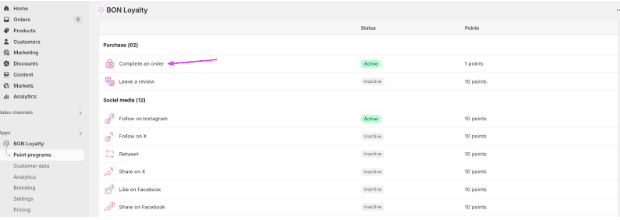
First, go to BON > Point programs > Set up in Earn points > Click on Leave a review rule.
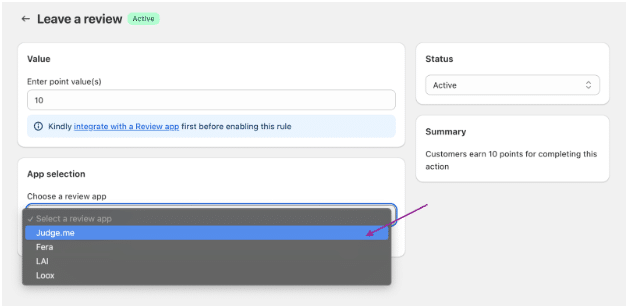
In the Leave a review window, you need to set up how many points customers will earn for a published review.
Next, select the Judge.me app from the list:
Make sure the integration is successful before activating the option.
Integrate BON x Judge.me
From the BON’s app settings, select Integration:
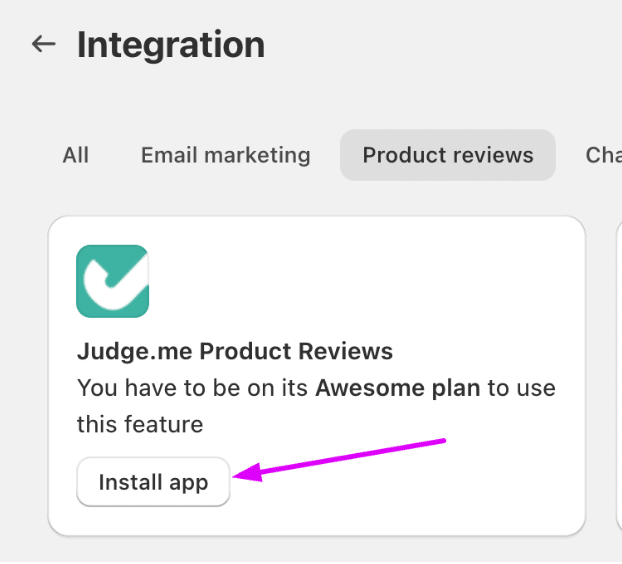
Choose category for Product reviews > Select “Install app” if you haven’t installed Judge.me yet.
When you need app integration, kindly contact our support team for help via our live chat in BON app or email [email protected]; or enter this attribute ‘?show_integrate=true’ in your URL.
For example: https://admin.shopify.com/store/bon-xxx-demo-store/apps/bon-loyalty/settings/integration?show_integrate=true
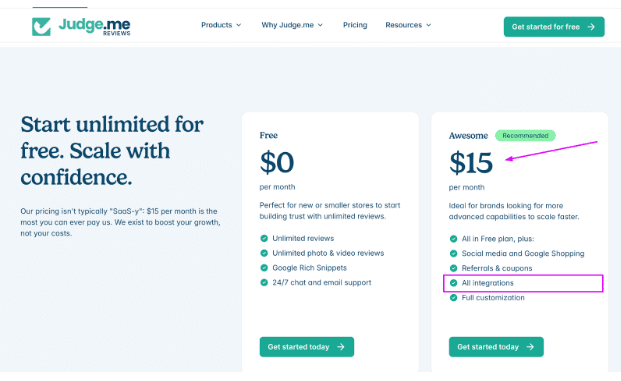
NOTE: You must use Judge.me’s Awesome plan in order to integrate with BON.